Try our cookies Alza.cz a. s., Company identification number 27082440, uses cookies to ensure the functionality of the website and with your consent also to personalisage the content of our website. By clicking on the “I understand“ button, you agree to the use of cookies and the transfer of data regarding the behavior on the website for displaying targeted advertising on social networks and advertising networks on other websites.
Alzak icon
Catalogue
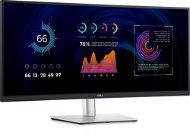
34" Dell P3424WE Professional - Monitor

Reviews 34" Dell P3424WE Professional

Interested in reviews of 34" Dell P3424WE Professional? It got 4.6 out of 5 stars from our customers. Find specific customer reviews of 34" Dell P3424WE Professional below. We will appreciate if you also share your experiences with 34" Dell P3424WE Professional after purchasing.

User Reviews

Anonymous customerflag
Rated 08/06/2025, variant 34" Dell P3424WE Professional
Verified purchase
It would be a great monitor for work. I was a bit annoyed that it didn't detect the maximum resolution correctly when I connected the NTB. It was possible to live with this mischief. Just turned it off and on and then everything was fine. Unfortunately, I complained about this piece because mosquitoes started swarming in stand-by mode - it made a high-pitched sound similar to a mosquito whistle Today, after 19 days, I picked up the replaced piece, which I'm sending back for a warranty claim. After connecting the NTB via USB-C, USB peripherals connected to the monitor do not work. I tested on 2xNTB, 1x MAC mini. The peripherals worked as long as they were connected via USB-B.
0 ×Report
Automatic translation
Ondřej, Psáryflag
Rated 23/02/2025, variant 34" Dell P3424WE Professional
Verified purchase
Resolution
Work on 2-3 monitors
Possibility of clamping on an adjustable Alza holder
0 ×Report
Automatic translation
Milan, Říčanyflag
Rated 13/01/2025, variant 34" Dell P3424WE Professional
Verified purchase
I use it for writing code and the occasional movie. God bless USB-C.
USB-C works for charging and powering the NTB and LAN. Out of the sound.
Everything I put into the monitor works on USB-C (keyboard and mouse dongles, flash)
Not too bent, I didn't find the radius, but min R1500
I don't mind 60Hz, I don't play anything
The stand is solid, it does not shake even when lifting the table
I can only compare the colours and display in general to a vintage LCD and this is completely different
Small minus - LAN LED flashes and lights up a lot when the machine is switched off. I'll tape it over.
It doesn't have speakers.
Not that I want it, but I could use an audio output for an external speaker. I have to plug the jack into the NTB
0 ×Report
Automatic translation
Stanislav, Jičínflag
Rated 27/12/2024, variant 34" Dell P3424WE Professional
Verified purchase - review from a price comparison website
good viewing angle
0 ×Report
Automatic translation
Matyáš, Štěchoviceflag
Rated 14/10/2024, variant 34" Dell P3424WE Professional
Verified purchase
Faithful colour reproduction
Performance / price
USB-C with PD (only one cable is needed for ntb)
For some incomprehensible reason, you cannot manually set the aspect ratio to 16:9 (only 21:9, 5:4, 4:3), so the monitor is unusable, e.g. with PlayStation 5
0 ×Report
Automatic translation
Martin, Praha 5flag
Rated 18/05/2024, variant 34" Dell P3424WE Professional
Verified purchase
Technologically, it is a super monitor. I like the great connectivity when it works as a USB 3.0 hub and a LAN network. Both run at full speed even when you have a video connected (in contrast to, for example, LG monitors, where LG' s real USB and LAN speed is only about 300 Mbps). But the problem with the Dell P series has been the display, or rather its backlight, for years. I would say that Dell has been putting the same display there since the older P3421 series (or at least it still has the same ailment). We use these monitors in offices and they are all very similar in terms of the backlight coming through from the bottom left side. The colors in that part are a little more faded than the rest of the display. You can live with it (especially if you have a monitor for office work or programming). But in comparison, LG' s displays are much better resolved in terms of uniform backlighting. Otherwise, the color presentation is very good even without calorific. I have a MacBook Pro connected and the colors are very consistent during normal work and normal viewing of my photos on both the Dell monitor and the MacBook. It' s a dilemma and a bit of a compromise: This Dell at a better price with better connectivity - or LG with a better picture but with slow USB only 2.0?
Image via USB-C
LAN, which is also transferred to the laptop via USB-C
USB-A, where you can connect external devices (mice, keyboards, external drives)
3 year warranty
Dell " next business day" service
Significant LED backlighting from the bottom left (all pieces have it). So the lower left are distorted colors (more faded, less contrast)-
Under Windows 10, I have not connected any USB devices with slow USB 2.0 (eg keyboard, mouse). But it works fine under MacOS. I couldn' t find the repair drivers anywhere.
0 ×Report
Automatic translation
Anonymous customerflag
Rated 18/04/2024, variant 34" Dell P3424WE Professional
Verified purchase
Just a slight bend
Quality image
Software that makes it easy to split your desktop into multiple windows
Ingenious solution when connected via USB-C, with the added benefit of 90W reverse charging - 1 cable handles image transfer, charging and 4-port USB hub
Only 60 Hz, but it's fine for work
60 Hz via HDMI or USB-C only
0 ×Report
Automatic translation
Companyflag
Rated 27/01/2024, variant 34" Dell P3424WE Professional
Verified purchase
Nice colours
High-quality IPS panel
Plenty of room to work
Connection via USB-C cable
They have to get the colours right first
Other monitors I've tried had an aluminum stand, this one is plastic
60HZ - for this money it could have at least 100hz
0 ×Report
Automatic translation
P-DC1-WEB10

Alza Karlsplatz Hast du schon unseren neuen Alza 24/7-Shop am Wiener Karlsplatz besucht? More info »