



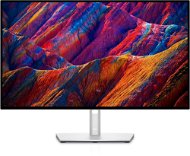
Reviews 27" Dell U2723QE UltraSharp
Interested in reviews of 27" Dell U2723QE UltraSharp? It got 4.7 out of 5 stars from our customers. Find specific customer reviews of 27" Dell U2723QE UltraSharp below. We will appreciate if you also share your experiences with 27" Dell U2723QE UltraSharp after purchasing.
User Reviews

Company
Rated 23/07/2023, variant 27" Dell U2723QE UltraSharp
Verified purchase
The monitor is absolutely perfect for the money except for the edge bleeding. In general, Dell, or LG (the panel manufacturer), has gone the route of unbalanced backlighting for better black presentation - I find this slightly distracting. I therefore preferred the Samusung S80PB, which has an even backlight (but also not flawless, its "black" is less black).
super colours even without calibration
top compatibility with macOS (does not switch on during sleep mode)
built-in hub (although I'm not sure if these hubs are the way to go - long cables and pulling them all the way to the monitor are required)
edge bleeding (retrospectively found not exactly uncommon)
rather poor processing of the anti-glare filter
0 ×Report
Automatic translation

Jan, Sirá
Rated 22/07/2023, variant 27" Dell U2723QE UltraSharp
Verified purchase
Perfect picture
100% compatibility with imac 24 M1
connectivity
automatic firmware upgrade
0 ×Report
Automatic translation
Anonymous customer
Rated 30/05/2023, variant 27" Dell U2723QE UltraSharp
Verified purchase
Great connectivity
Dell uses solid panels
Well packed, quality build
Compared to the cheaper P2723QE it pulls the eyes too much, hard to say if it's the type of panel or too high contrast
Returned and purchased a second P2723QE of the same brand
0 ×Report
Automatic translation

Jan, Dobřichovice
Rated 26/08/2022, variant 27" Dell U2723QE UltraSharp
Verified purchase
I think it is especially suitable for more demanding customers with laptops such as Apple MacBook, who can use the concentration of all the necessary connectivity in a single USB-C / Thunderbolt 3 cable and thus get rid of the docking station and its space-consuming accessories.
Its “HUB“ function can replace the so-called docking station, ideally through a USB-C / Thunderbolt 3+ cable connected to a modern laptop such as an Apple MacBook or even better models from HP, Dell and other brands - it must, however, support the so-called Display Port Alternate Mode (DP Alt Mode)
The “KVM“ function enables the connection of 2 devices at the same time, incl. “split screen“ mode
Chaining of monitors can also be useful - the so-called “Daisy Chaining“ - via DisplayPort 1.2 Multi-Stream Transport (MST), but this must be supported by the graphics card of your device (e. g. laptop)
Thanks to a greater number of sockets (e. g. 5x USB-A 3.2 Gen2 and 1x LAN) it can be connected to many devices shared via “HUB“ - e. g. keyboard, mouse, camera, speaker, network cable, USB disk, etc. )
The backlight consists of 4 segments and in a dark environment there is a noticeable “backlight bleed“, which can make it even worse when the “Smart HDR“ function is turned on. But it doesn' t bother me personally, because I don' t work/live in a dark environment and I don' t use “Smart HDR“.
The supplied stand has a great slim design, but for greater stability in “shaky environments“ I recommend using another more robust one
0 ×Report
Automatic translation
