Try our cookies Alza.cz a. s., Company identification number 27082440, uses cookies to ensure the functionality of the website and with your consent also to personalisage the content of our website. By clicking on the “I understand“ button, you agree to the use of cookies and the transfer of data regarding the behavior on the website for displaying targeted advertising on social networks and advertising networks on other websites.
Alzak icon
Catalogue
Price
-
Availability
Diagonal
34 "
49 "
- 86.36 cm 124.46 cm
Resolution Type
(3)
(113)
(1)
(28)
(5)
(32)
Construction
(34)
(147)
Panel technology
(29)
(152)
Panel type
(25)
(43)
(108)
(1)
Refresh rate
50 Hz
360 Hz
-
Response time
0.01 ms
8 ms
-
Backlight
(134)
(1)
(1)
Graphical user interface
(182)
(93)
(169)
(5)
(6)
(1)
(1)
Features
(145)
(20)
(1)
(4)
(98)
Colour
(18)
(142)
(1)
(1)
(1)

33" to 49" Monitors

33" and larger monitors are ideal for office work, gaming, graphic design programmes, and everyday home use.

 

Continue

When choosing a 33" or larger monitor, first consider what you will use it for

Monitors for office or home use

If you know you will spend a lot of time using the monitor, choose a model with adjustable height and technologies that minimise eye fatigue (Flicker-free, Flicker-safe, etc.). Otherwise, a basic office monitor will be sufficient for your needs.

Gaming monitors

For gaming monitors, response times and refresh rates are critical criteria. Gaming enthusiasts often choose monitors with 4 ms response times and refresh rates of at least 60 Hz, which provide smooth and sharp images even during fast action scenes.

Professional graphics monitors

To work with photos, videos, and CAD software, monitors with at least 10-bit colour depth are recommended. The graphic display should have a wide colour gamut and wide viewing angles.

Commercial monitors

For advertising kiosks, self-service checkouts or monitor systems, touch screen monitors are suitable as they allow the computer to be controlled without the use of a keyboard and mouse.

What else should I look for when choosing a 33" or larger monitor?

Resolution

Screen Size (1" = 2.54 cm)33" and larger (approx. 83 cm or more)
Resolution to ensure adequate image qualityFull HD (1920 × 1080 pixels), but ideally 4K (3840 × 2160 pixels) or higher

Panel type

  • IPS / S-IPS monitors - excel in natural colours, low power consumption and wide viewing angles. The disadvantage is a higher purchase price.
  • TN monitors - often characterised by a low response times. Compared with IPS monitors they are cheaper, offer lower-quality colour reproduction and narrower viewing angles. While cheaper TN monitors are sufficient for less demanding users, models with 4 ms response times are popular with gamers.
  • MVA / PVA monitors - in terms of price and picture quality, these are somewhere between IPS / S-IPS and TN monitors. They provide more realistic colour reproduction and wider viewing angles than TN monitors and are cheaper than IPS monitors.

Screen surface

  • Matte - reflects light from the surroundings; provides less-saturated colour reproduction.
  • Glossy - provides vibrant and realistic colours; conversely, more light is reflected light from the surroundings, so the display can be difficult to view in bright sunlight.
  • Anti-glare (glossy display with antiglare) - a compromise between glossy and matte screens; they are easier to view in direct sunlight than glossy screens but also offer lower quality colour reproduction.

Connectors

Before buying, make sure the monitor has at least one same port as your computer. If not, you will not be able to connect the monitor to it.

basic connectors 23 "or 24" monitor - VGA, DVI, HDMI, DisplayPort

Useful functions and features

  • Technology that minimises eyestrain - Flicker-free, Flicker-safe, etc.
  • Adjustable height - allows you to adjust the monitor to a comfortable position.
  • TV tuner - to watch television broadcasts.
  • VESA mount - allows your to mount the monitor on a bracket.
  • USB Hub - play data from portable drives; connect a keyboard or mouse.
  • Pivot - allows the screen to rotate horizantally; suitable for office work and reading texts from your computer.
Hide description
Was this information useful?
This form is used only for evaluating the information in the description above.
If you have any question about our products, services, transport or any other request, please contact our customer support.

What should be improved? Is anything missing here? Is anything wrong? Share it with us.
182 Results
Add to PC configurator
37,5" ViewSonic VA3820C
Monitor - IPS, curved, 4K Ultra HD 3840 x 1600 (21:9), 75 Hz, matte display, 10 bit, 4,785 ms, adjustable height, HDR, speakers, HDMI, USB-C and DisplayPort, USB-C data interface, VESA
858.90 €
Buy
Ordered on request
Order Code: WV324a30
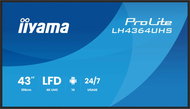
43" iiyama ProLite LH4364UHS-B1AG
Large-Format Display 4K Ultra HD 3840 × 2160, VA, 16:9, 6.5 ms, 60Hz, 8bit, 500 cd/m2, 4000:1 contrast, HDMI and USB-C, USB, LAN, speakers, VESA
691.90 €
Buy
Ordered on request
Order Code: WA982a53
42.5" iiyama LH4360UHS-B2AG
Large-Format Display 4K Ultra HD 3840 × 2160, VA, 16:9, 6.5 ms, 60Hz, 8bit, 500 cd/m2, 4000:1 contrast, HDMI, USB, LAN, headphone output, adjustable height, speakers, VESA
702.90 €
Buy
Ordered on request
Order Code: WA982a49
Add to PC configurator
34" EIZO FlexScan EV3450XC-BK
Monitor - IPS, curved, Ultra Wide QHD 3440 × 1440 (21:9), 60 Hz, Anti-Glare display, 8 bit, 5 ms, adjustable height, Power Delivery max. 94 W, KVM, webcam, speakers, HDMI and DisplayPort, USB-C, RJ-45 (LAN), Micro USB and Micro USB (type B) data interface, VESA
1,129 €
Buy
Ordered on request
Order Code: WL579o6a1b
5.0
Add to PC configurator
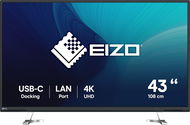
42.5" EIZO FlexScan EV4340X-BK
Monitor - IPS, 4K Ultra HD 3840 × 2160 (16:9), 60 Hz, Anti-Glare display, 8 bit, 5 ms, Power Delivery max. 94 W, automatic brightness adjustment, KVM, speakers, HDMI, USB-C and DisplayPort, USB, USB-C, RJ-45 (LAN) and USB-B data interface, VESA
1,909 €
Buy
Ordered on request
Order Code: WL579o7b
Add to PC configurator
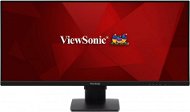
34" ViewSonic VG3456C WorkPro
Monitor - VA, curved, Ultra Wide QHD 3440 × 1440 (21:9), 100 Hz, Anti-Glare display, 8 bit, 5 ms, FreeSync Premium, adjustable height, Power Delivery max. 100 W, speakers, HDMI, USB-C and DisplayPort, USB, USB-C, RJ-45 (LAN) and USB-B data interface, VESA
629.90 €
Buy
Ordered on request
Order Code: WV259y9
5.0
Add to PC configurator
34" ViewSonic VG3419C WorkPro
Monitor - VA, curved, Ultra Wide QHD 3440 × 1440 (21:9), 120 Hz, Anti-Glare display, 8 bit, 3,5 ms, FreeSync Premium, adjustable height, Power Delivery max. 65 W, HDR, KVM, speakers, HDMI, USB-C and DisplayPort, USB, USB-C, RJ-45 (LAN) and USB-B data interface, VESA
467.90 €
Buy
Ordered on request
Order Code: WV259y8
43" Sony FW-43EZ20L
Large-Format Display 4K Ultra HD 3840 × 2160, IPS, 16:9, 8 ms, 50Hz, 350 cd/m2, 1200:1 contrast, HDMI, LAN, pivot, VESA
871.90 €
Buy
Ordered on request
Order Code: WS241
5.0
49" Philips 49B2U6900CH
Monitor - VA, curved, Dual QHD 5120 × 1440 (32:9), 75 Hz, Anti-Glare display, 10 bit, 4 ms, adjustable height, Power Delivery max. 100 W, HDR, KVM, webcam, speakers, HDMI, USB-C and DisplayPort, USB-C data interface, VESA
1,239 €
Currently Unavailable
Order Code: WC132
4.0
39.7" Philips 40B1U6903CH
Monitor - IPS, 5K Ultra HD 5120 × 2160 (21:9), 75 Hz, Anti-Glare display, 10 bit, 4 ms, G-Sync Compatible, adjustable height, Power Delivery, webcam, speakers, HDMI, USB-C, DisplayPort and ThunderBolt, RJ-45 (LAN) data interface, VESA
1,309 €
Currently Unavailable
Order Code: WC130c
4.4
34" Philips 34B1U5600CH
Monitor - VA, curved, Ultra Wide QHD 3440 × 1440 (21:9), 120 Hz, Anti-Glare display, 8 bit, 4 ms, adjustable height, pivot, Power Delivery, webcam, speakers, HDMI, USB-C and DisplayPort, RJ-45 (LAN) data interface, VESA
585.90 €
Currently Unavailable
Order Code: WC130b8a61
4.4
40" Philips 40B1U5601H
Monitor - IPS, Ultra Wide QHD 3440 × 1440 (21:9), 120 Hz, Anti-Glare display, 8 bit, 4 ms, adjustable height, Power Delivery, webcam, speakers, HDMI, USB-C and DisplayPort, RJ-45 (LAN) data interface, VESA
638.90 €
Currently Unavailable
Order Code: WC130c1
4.8 11×
34" Dell Alienware AW3425DWM
Monitor - VA, curved, Ultra Wide QHD 3440 × 1440 (21:9), 180 Hz, 10 bit, 1 ms, FreeSync Premium, adjustable height, HDR, HDMI and DisplayPort, USB data interface, VESA
441.98 €
Currently Unavailable
Order Code: ADL32u36b
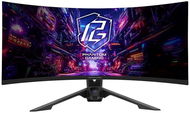
34" ASRock PG34QRT3A Phantom Gaming
Monitor - VA, Ultra Wide QHD 3440 × 1400 (21:9), 180 Hz, matte display, 8 bit, 1 ms, FreeSync, adjustable height, HDR, speakers, rear lighting, HDMI and DisplayPort, USB data interface, VESA
Buy with code ALZADAYS20AT The discount code gives the option of applying a discount on a given product when entering the code in the shopping cart. Erhalten Sie 20 % Rabatt mit dem Code ALZADAYS20AT. Das Angebot gilt bis zum 15. September 2025 oder solange der Vorrat reicht und ist nur für Endverbraucher bestimmt. 387.92 €
484.90 €
Currently Unavailable
Order Code: WAS004c
 

33" to 49" Monitors

How to choose the right LCD Monitor

Do you need a widescreen monitor or one with a classic 4:3 aspect ratio? Widescreen monitors are ideal for watching movies, playing games, and browsing the internet, while classic 4:3 monitors with diagonals of 17"-19" are ideal for office work. As for the display surface, you can choose from matte or glossy. Glossy displays deliver enhanced colour contrasts and better readability while matte displays reduce screen reflection.

It's not only the number of pixels on the screen (display resolution) that determines the quality of a monitor, the size of a monitor's dot pitch is also important. Comparing monitors of two different sizes but of the same resolution, you'll find that the larger one produces a coarser image. This can be slightly reduced by font-smoothing functions, which are integrated in most operating systems. To get the most out of your monitor, you'll need to adjust the screen resolution, as the native resolution might differ from model to model.

Response time indicates how many milliseconds it takes for a pixel to change - the lower the response time, the smoother the change. Brightness determines the luminous intensity of an image and higher contrast ensures blacker blacks and whiter whites.
 

In addition to basic D-Sub analog inputs, modern monitors also feature digital DVI inputs. Some monitors offer multiple options together with HDMI inputs. Before you select a particular model, be sure to check whether it is compatible with your graphics card.

We recommend choosing a monitor with a larger diagonal size and higher resolution. Opt for a model with a lower response time, higher brightness and contrast, and check that the monitor features DVI/HDMI inputs.

Was this information useful?
This form is used only for evaluating the information in the description above.
If you have any question about our products, services, transport or any other request, please contact our customer support.
What should be improved? Is anything missing here? Is anything wrong? Share it with us.
Check out products sorted by price starting with the lowest price in the category cheap 33" to 49" Monitors
P-DC1-WEB25