



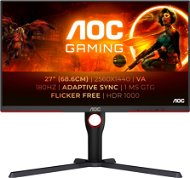
Reviews 27" AOC Q27G3XMN Gaming
Interested in reviews of 27" AOC Q27G3XMN Gaming? It got 4.6 out of 5 stars from our customers. Find specific customer reviews of 27" AOC Q27G3XMN Gaming below. We will appreciate if you also share your experiences with 27" AOC Q27G3XMN Gaming after purchasing.
User Reviews

Josef, Praha 11
Rated 21/03/2025, variant 27" AOC Q27G3XMN Gaming
Verified purchase
Za aktuální cenu, nejlepší produkt ve své kategorii. Mini led je opravdu hodně poznat.Jen škoda že se jedná o VA panel.
0 ×Report

Michal, Polevsko
Rated 21/02/2025, variant 27" AOC Q27G3XMN Gaming
Verified purchase
The hardware side of HDR (or the monitor itself) works perfectly, as confirmed by the HDR1000 certification (I recommend looking up HDR certification layers). For the price, this is probably the best HDR monitor choice if you don't want to pay for OLED. I can see why this monitor has practically a legendary reputation. On the other hand, the software implementation of HDR (at least the support since Win10) is lousy, but that's not the monitor's fault. Colours are washed out without calibration until you turn on the HDR game. Figuring out how to set up HDR for the first time was quite a struggle. I recommend the shortcut Win+Alt+B to turn HDR on-off. As a result: If you want HDR, take this monitor now. You won't regret it. But if you don't care much about HDR, this monitor misses the point, especially at the price. Then I recommend to save up to 5000kč and buy something else (e.g. Acer Nitro XV272U is not a bad choice). You'll only lose HDR quality but you'll still buy a pretty good quality monitor with a good picture. If I ignore the software issues of HDR and play on the fact that it works perfectly, this monitor is a really amazing choice. It has slight flaws, but otherwise perfect, I would give it a rating of 90%. Just so VRR doesn't flash once in a while, OSD was more sophisticated and I would add the option to update FW. Hopefully the HDR implementation will mature over time and then it will be 90% without any additions
The cheapest monitor with FALD (full array local dimming), that's a really massive upgrade over the classic single backlight, even if it's only 336 zones
True HDR1000, with full array local dimming (336 zones)
VRR works great, so far I haven't seen a single image tearing (it's FreeSync, but it works perfectly on Nvidia GPUs too)
Even without HDR it looks really good, the 2K 27'' 180Hz VA panel with high contrast and brightness is really nice. Black is still not quite black but it's really close. Only OLED would be better
I don't really notice the VA panel errors, it's not as bad as people say it is. The panel is still fast enough and the viewing angles are easy to get used to in a day. I wouldn't worry about the VA at all.
HDR support from various software on WIN10 is not yet fully mature, if it works great, but often it doesn't work as it should
OSD menu has a control problem, quite clumsy, buttons often do not register the press
Heavier monitor, the arm can handle it but you have to tighten the spring
When VRR is on and the image is static, the image flickers slightly once in a while. It takes some getting used to.
If you don't use HDR, the monitor is unnecessarily overpriced, you can get a similar monitor without HDR for half the price
It's great that the HDMI and DP cable is included, but I don't know what version it is, they don't have it written down. DP 1.4 or HDMI 2.0 is required for HDR. Manufacturers like to save money, so I recommend to buy a quality cable for 250kč to be sure
Without the ability to update FW, this should be a given but unfortunately it is not
0 ×Report
Automatic translation

Peter, Hromoš
Rated 16/12/2024, variant 27" AOC Q27G3XMN Gaming
Verified purchase
Dobrý ale nefungujú reproduktory ... a neviem prečo... 😂 no preto že tam nie sú, sranda.
čierna je skutocne cierna vdaka mini led s oblastnym stmievanim
jasny vdaka mini led
dobre pozorovacie uhly pre nenarocnych ale
otočný a posuvny
dobrý vzhľad
drahý 😂
3.5 jack namiesto 6.3 jacku mi pripada dost neodolne, ale to je asi standard v monitoroch
pri ovladani by mohli tlacidla svietiť a joystick by bol lepsi
appka nahradi tlacidla, ale treba si zabezpecit zo stranky vyrobcu
0 ×Report
Anonymous customer
Rated 17/11/2024, variant 27" AOC Q27G3XMN Gaming
Verified purchase
colour calibration
quality/price ratio
0 ×Report
Automatic translation

Petr, Zruč nad Sázavou
Rated 15/11/2024, variant 27" AOC Q27G3XMN Gaming
Verified purchase
For the BlackFriday price, there was perhaps no better monitor on the market.
0 ×Report
Automatic translation
Anonymous customer
Rated 28/09/2024, variant 27" AOC Q27G3XMN Gaming
Verified purchase
Super monitor
I wouldn't buy anything other than oled
0 ×Report
Automatic translation
Václav, Praha 11
Rated 01/07/2024, variant 27" AOC Q27G3XMN Gaming
Verified purchase
great local dimming - great rendering of black
excellent HDR
tried two other IPS monitors and this VA completely overpowered them
the primary purpose of gaming in HDR, but there is no problem with normal office work either
0 ×Report
Automatic translation
Customer, Praha
Rated 07/04/2024, variant 27" AOC Q27G3XMN Gaming
Verified purchase
Before buying this monitor I thought there might be problems because it’s VA, but there are only benefits like excellent contrast, and no real problems. Viewing angles are good, it’s a lot better than my last monitor that became gray even if I moved my head a little. There’s literally no black smearing visible even if you try to get it.
Brightness is extremely good. However if you enable local dimming in SDR, it drops on 20-30%.
There are no problems with this monitor except bad looking SDR content with HDR enabled (like your browser and desktop), which is actually a Windows problem I think. And for the price, you won’t find a MiniLED monitor from normal store with a warranty below 20-25K. This was 11K, so it beats every monitor in this price range for me.
Image quality
Brightness
FALD
Response time (no black smearing)
Local Dimming can be enabled in SDR mode
2 times less expensive than monitors with similar performance
Stand with height adjustment and 2-axis rotation
Windows SDR content looks washed out in HDR mode, not really usable
No Type-C video input
No joystick for navigation, not really good app

0 ×Report
Anonymous customer
Rated 29/01/2024, variant 27" AOC Q27G3XMN Gaming
Verified purchase
An interesting solution for gamers who want at least a little usable HDR at a low price. Personally, I prefer to wait for the QD-OLED gen. 3 monitors.
Good static contrast ~ 4200:1
Very good backlight uniformity - no bleeding
FALD at this price (even if only 336 zones)
Very fast response for a VA panel
Slusne HDR
Very poor viewing angles, not comparable to IPS or OLED
sRGB gamut clamp does not work, see reviews on the internet
LocalDimming is too strong and unusable even on LOW in SDR mode
In HDR mode, you cannot set the maximum brightness in the OSD! (lock on 100%)
The latest version of the G-Menu application does not find the monitor.
The monitor does not have USB, so any firmware update will be complicated.
Absolutely horrible OSD control using poorly accessible buttons
OSD does not have presettable user profiles for quick switching
0 ×Report
Automatic translation

Karel, Jihlava
Rated 29/01/2024, variant 27" AOC Q27G3XMN Gaming
Verified purchase
I struggled with the HDR image quality at first, the win11 image was impossible to look at. Finally, resetting the settings via the AOC app helped. I recommend to calibrate HDR directly in Windows. The speakers in the monitor are totally unnecessary for me, but maybe it will be enough for someone. The monitor can be set through the app fortunately, because their buttons are really awful they are from underneath and you have to push them a lot, before I crawled through the menu my hand was hurting 😃😄😁
The hole in the stand is great, it's a nice way to hide cables.
The resolution is great, compared to my previous fhd monitor.
Local dimming works well too, you probably can't get mini ice for that money.
Hdmi +display port in the box
The source, it's hidden in the monitor. The only cable that goes to the monitor is the cable to the pc.
Usable HDR
The speakers have poor sound quality, but that's not a defect of the monitor, it's physics (you'll never get satisfactory sound from a monitor/TV)
The table leg could be a problem for someone who has a smaller pc table, it is extended a lot forward, and for my taste also to the back, so the monitor takes up a lot of space on the table.
0 ×Report
Automatic translation
