Try our cookies Alza.cz a. s., Company identification number 27082440, uses cookies to ensure the functionality of the website and with your consent also to personalisage the content of our website. By clicking on the “I understand“ button, you agree to the use of cookies and the transfer of data regarding the behavior on the website for displaying targeted advertising on social networks and advertising networks on other websites.
Alzak icon
Catalogue
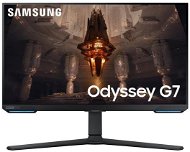
28" Samsung Odyssey G70B - Monitor

Reviews 28" Samsung Odyssey G70B

Interested in reviews of 28" Samsung Odyssey G70B? It got 3.9 out of 5 stars from our customers. Find specific customer reviews of 28" Samsung Odyssey G70B below. We will appreciate if you also share your experiences with 28" Samsung Odyssey G70B after purchasing.

User Reviews

Marek, Plzeňflag
Rated 09/05/2025, variant 28" Samsung Odyssey G70B
Verified purchase
I'm writing this review after more than a year of use the first week when the monitor was connected via HDMI so the picture maybe three times in 2 hours for 3 seconds dropped out and 1 in 24 hours completely lost the signal and I had to restart the monitor to catch the signal again when the restart via remote control did not help I had to unplug and plug out of the socket another problem was when HDR in the game Call of Duty was turned on: Modern Warfare III flickered screen all these problems were fixed when I connected the monitor via the display port in the package Since then I am absolutely satisfied with the monitor the picture in HDR has very nice colors even without additional calibration The sound from the speakers is quite good and the speakers are nice backlighting occasionally happened that the monitor went out but it was definitely not every day it is important to check the firmware update or software update immediately after you start the monitor you will find it in the monitor system because now after a year it is already working practically without any bugs in the end I will mention the Samsung Tizen operating system in the monitor offers a lot of features and applications such as Netflix and other streaming platforms the system is fast and does not jerk I tested on the Nvidia RTX 3060 TI 8G and now I have it on the 4080 16G
when connected via display port works without problem nice colours good sound good control via remote control which charges via usb-c
The Tizen operating system fits and is snappy
144 Hz
4K
HDR
when the monitor was connected via HDMI, the image dropped out 3 times in 2 hours for 3 seconds and 1 time in 24 hours completely lost the signal
0 ×Report
Automatic translation
Matěj, Prahaflag
Rated 14/04/2025, variant 28" Samsung Odyssey G70B
Verified purchase
Despite the very good parameters and display capabilities, including refresh rate, it is a very unsuccessful type, which is evidenced by the forums, where there is a flood of questions about how to make the monitor work in higher resolution and with a frequency over 60Hz. Unfortunately, there is a common problem with monitor recognition, and even if the correct driver is installed, it happens (about monthly) that the driver is "forgotten" after the computer goes to sleep and the monitor is identified only as Default Monitor. It is then sometimes necessary to go very deep into the system and manually remove the inf file registration to reinstall the monitor. It also often happens that when the computer goes to sleep, the monitor doesn't turn on anymore and needs to be switched on using the switch on the bottom. The fact that this computer doesn't have USB-C with Power Delivery (connecting via a single cable) is just a sad illustration.
perfect picture
without glare
highly visible even in sunlight
the need to install a proprietary driver
the driver is repeatedly "forgotten" and needs to be reinstalled
often does not respond when the computer is switched on and needs to be manually switched on
no USB-C with power delivery, need usb hub
0 ×Report
Automatic translation
Jiří, Lounyflag
Rated 28/10/2024, variant 28" Samsung Odyssey G70B
Verified purchase
with the tv function and apps I don't turn on my pc that often anymore, it suits me.
0 ×Report
Automatic translation
Tomáš, Brno - Černá Poleflag
Rated 07/09/2024, variant 28" Samsung Odyssey G70B
Verified purchase
exactly as expected
originally the monitor did not turn on when the PC was switched on, after the update it did
0 ×Report
Automatic translation
Jaromír, Plzeňflag
Rated 06/07/2024, variant 28" Samsung Odyssey G70B
Verified purchase - review from a price comparison website
I returned
I was not able to connect the monitor to the computer at all via the DVI --> HDMI reduction
The picture is worse than I have with the current 11-year-old monitor from PHILIPS
0 ×Report
Automatic translation
Martin, Prahaflag
Rated 25/05/2024, variant 28" Samsung Odyssey G70B
Verified purchase
So far, so good.
0 ×Report
Automatic translation
Daniel, Bratislava-Petržalkaflag
Rated 14/05/2024, variant 28" Samsung Odyssey G70B
Verified purchase
Like I said above, the picture quality is great, and the ability to connect with a phone or tablet is cool, but it is not good as a computer monitor. After looking at reviews online from other countries and places, the product itself is just faulty as a monitor. It would be better to list it as a Smart Screen or an Streaming TV instead. It just refuses to reliably connect to a PC, which is exactly what a PC monitor is supposed to do. Save your time, money, and energy. Buy a different monitor.
Very large, with a beautiful picture quality.
Has quality streaming capabilities for media.
It will not connect to a PC easily with a cable. It continually drops the signal or refuses to recognize the signal in the first place.
If you do cast your PC to the Smart Monitor, there is a significant lag while using the mouse or keyboard. 1+ seconds between when you move the mouse and when it registers the movement.
0 ×Report
Anonymous customerflag
Rated 18/01/2024, variant 28" Samsung Odyssey G70B
Verified purchase
nice monitor if you familiar with tizen. Work with pc/mac/iphone/android devices. Support wireless display mode (miracast and airplay 2). Have amd freesync and gsync support. Can play video from usb-disk (but not divx), have youtube client. However, no support of steamlink.
good multi-monitor.
4k 144hz
gsync + freesync
wireless monitor (miracast/airplay 2)
youtube + geforce now + xbox clients
no hdr in reality
you must be familiar with tizen os
Long time switching video input ports (automatically or manually)
dimming must be disabled for normal picture - when you working.
0 ×Report
Automatic translation
Silvie, Humpolecflag
Rated 21/12/2023, variant 28" Samsung Odyssey G70B
Verified purchase
Nice colour range
The monitor randomly disconnects and reports a connection error
Sometimes in power saving mode, it automatically prolongs or changes the sharpness of the image
After sleep mode the PC monitor does not even boot and reports that it is not connected
Occasionally the monitor crashes on its own, connected to the rtx 4080
0 ×Report
Automatic translation
Václav, Praha 6 - Řepyflag
Rated 03/11/2023, variant 28" Samsung Odyssey G70B
Verified purchase
I definitely do not recommend it for what it may be good as a single monitor to the computer for watching movies, but for working with multiple monitors thanks to a bunch of unwanted and often unswitchable functions and problems with signal detection via HDMI is hard to use
The monitor is equipped with a lot of nonsensical eco modes that can't be turned off and often try to change the picture settings themselves
The monitor often flickers when connected via HDMI
after locking the computer when it is connected as a second monitor it stops detecting the signal and completely shuts down, but after unlocking the computer it displays a strange flashing and darkened signal plus it has a problem reconnecting the usb device.
Randomly trying to re-pair with the phone
sometimes the computer does not detect the signal when it starts up and stays off
0 ×Report
Automatic translation
1 - 10 from 12
P-DC1-WEB20

AlzaBox In einer AlzaBox ist deine Bestellung 24/7 erreichbar! More info »