



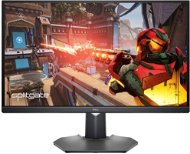
Reviews 31.5" Dell Gaming G3223D
Interested in reviews of 31.5" Dell Gaming G3223D? It got 4.7 out of 5 stars from our customers. Find specific customer reviews of 31.5" Dell Gaming G3223D below. We will appreciate if you also share your experiences with 31.5" Dell Gaming G3223D after purchasing.
User Reviews

Tomáš, Český Těšín
Rated 05/12/2023, variant 31.5" Dell Gaming G3223D
Verified purchase - review from a price comparison website
There are LEDs on the back of the monitor and the monitor is lit from the back. Some may like it, but I find it unnecessary.
Yeah, it's good, I'm happy
It has leds in the back and has a blue backlight
0 ×Report
Automatic translation

Vlastimil, Polička
Rated 12/09/2023, variant 31.5" Dell Gaming G3223D
Verified purchase - review from a price comparison website
Probably the best monitor in this price range
Picture quality - Blue-ray movies and full HD games look luxurious
Bright colours
Brightness up to 400 cd/m2 (other common monitors have 250 - 350)
G-Sync - Smooth imaging without tearing, choppiness, etc.
Several preset mods - for games, sports, movies.
Sturdy stand, monitor can be raised or lowered by approx. 15cm by hand pressure
I didn't find any defective pixels
Not the cheapest
0 ×Report
Automatic translation

Luboš, Lomnice nad lužnicí
Rated 13/08/2023, variant 31.5" Dell Gaming G3223D
Verified purchase - review from a price comparison website
The power button on the bottom left: ) and on the bottom right is the usb.
sharpness
nice colours
165Hz (via DisplayPort) (Screen Settings-Advanced Screen)
cables - DisplayPort, USB-C included
heavy, sturdy base (stand)
easy assembly (snap-on)
monitor can be tilted up/down and left/right easily
good viewing angles
Although the blue light behind the monitor can be turned off after downloading the firmware and via usb cable to the monitor, it is not that annoying: )
0 ×Report
Automatic translation

Customer, Nýřany
Rated 07/04/2023, variant 31.5" Dell Gaming G3223D
Verified purchase
Přestal fungovat měsíc po koupi, objevily se svislé pruhy v pravé části obrazovky.
165 Hz
Skvěle funguje v páru s apple Mac Book M1
Závadné zboží
0 ×Report
Anonymous customer
Rated 20/02/2023, variant 31.5" Dell Gaming G3223D
Verified purchase
IPS- Nice colors. Fixed base and storage in the stand.
165Hz
Simple menu control
Price-performance ratio
As for the lcd panel as such, there is nothing to complain about, but. on the back of the monitor there is a blue led backlight about 40cm long curved U-shaped strip, which not only can not be turned off, but you can not change the color !
After reading various discussions, I got to the Dell site, where I read that they probably realized the problem and created a firmware update, which when you download and install so you will see in the menu the option to turn off the backlight on the back. If you buy a model made after 10/2022, it should already have firmware with the ability to turn off the led backlight i.e.
M3C102 firmware
Another negative is that the stand, which is well stable, remained slightly crooked after snapping into the monitor body, so the monitor is slightly tilted to the first side. Unfortunately this is most likely a manufacturing "defect" because this monitor I bought on Alza is the second piece that has this problem, fortunately this one has it to a much lesser extent than the first model I bought from a competitor and returned it.
0 ×Report
Automatic translation
Martin, Kladno
Rated 18/02/2023, variant 31.5" Dell Gaming G3223D
Verified purchase
I have a 24-hour monitor: D I've tried three 27" 2k monitors before this one and this one seems to be the best so far as a compromise for MS OFFICE work and occasional gaming. At 32" the pixel size is the same as at 24" on FullHD, so anyone who wants a text-only monitor is probably better off with 4k at that size. But for me, that's enough. For CS-GO type games, 27" 2k is probably better. It looks great, but I've been shaking my head and just rolling my eyes while playing: ). 32" is already a large area. Other games great - Need for speed, DOOM, Tomb raider and etc. Ideally, look at the monitor from about 1m away and it's great. (I often play via gamepad) Subjectively I like this monitor setup for MS OFFICE, videos and games: Panel Mode - sRGB
Brightness - 55%
Contrast - 60%
Response time -Extreme
HDR smart - Desktop
Sharpness - 50%
USB-C prioritization - High resolution I didn't change any other monitor settings.
Super size for games. The monitor is versatile for every gaming genre. Gamers who exclusively play CS-GO and the like will probably appreciate a 27" 2k monitor.
In the MENU of the monitor there is a color test of the panel for defective pixels (in my case without defects)
I can get 2k/165Hz via USB-C and 10 bit colour via nvidia settings. Also, the USB HUB of the monitor works through the C, which is great = just one cable for everything. Note: I have a monitor connected to a Lenovo Legion NB with RTX 3060. NB has USB-C as thunderbold 4 (I guess) that's why everything works for me via USB-C.
HDR mode is noticeable, but I have it turned off in WIN 11.
From my subjective assessment, the colours in sRGB display mode are just right.
Ghosting minimal to none
Backlight bleed is there and will be with IPS, but it's really acceptable (minimal) and mostly pretty even in all corners (sort of). That's great for me.
You need to play around with the monitor mode, contrast and backlight intensity, but I believe everyone will find an acceptable setting
A WIN application to quickly change monitor settings
TAKE CARE! The monitor is not G-SYNC, but only G-SYNC compatible. The monitor has a G-SYNC sticker on the stand, but it doesn't have it. See. photo (nvidia settings, manual page, nvidia monitor list)
Monitor back light that can only be turned off after firmware update from DELL website - I already updated


0 ×Report
Automatic translation

Ladislav, Kralupy nad Vltavou 1
Rated 24/05/2022, variant 31.5" Dell Gaming G3223D
Verified purchase
price
resolution
function
easy installation
design
Hz
"manoeuvrability"
dedicated power button (the moment you buy a monitor that has a joystick on the back and about 4 more buttons you don't expect it to have another dedicated power button somewhere else, out of sight) which is not a defect, but rather my ignorance. Moving on from the Samsung Odyssey.
0 ×Report
Automatic translation
