



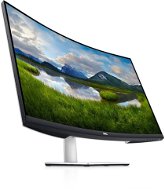
Reviews 31.5" Dell S3221QSA
Interested in reviews of 31.5" Dell S3221QSA? It got 4.2 out of 5 stars from our customers. Find specific customer reviews of 31.5" Dell S3221QSA below. We will appreciate if you also share your experiences with 31.5" Dell S3221QSA after purchasing.
User Reviews

AMD v.o.s., Brno
Rated 31/10/2024, variant 31.5" Dell S3221QSA
Verified purchase
price
with higher contrast, it flashes from day one.
0 ×Report
Automatic translation

Anonymous customer
Rated 30/09/2024, variant 31.5" Dell S3221QSA
Verified purchase
Super image
Dell quality
Eye protection
No USB-C
0 ×Report
Automatic translation
Jan, Hostivice
Rated 18/09/2024, variant 31.5" Dell S3221QSA
Verified purchase
parameters and equipment
the plastic edge is only glued on, it is not shaped according to the curvature, it creates a gap between.
I would expect more quality from DELL
0 ×Report
Automatic translation

Ester, Praha 10 - Vršovice
Rated 08/09/2024, variant 31.5" Dell S3221QSA
Verified purchase - review from a price comparison website
easy assembly
beautiful picture and sound
Tilting
Height adjustment is negligible
0 ×Report
Automatic translation

Anna, Horní Suchá
Rated 28/11/2023, variant 31.5" Dell S3221QSA
Verified purchase
Ideal size
Well packed
Relatively high resolution
0 ×Report
Automatic translation
Company
Rated 04/11/2023, variant 31.5" Dell S3221QSA
Verified purchase
Good workmanship
Built-in speakers relatively large, so sound subjectively good
Consumption around the announced 33 W (I think I measured 31)
Height adjustable
USB connection to PC
PIP and similar gadgets
Firmware update option
Well-designed on-screen menus, common things (brightness, volume) are well and quickly accessible via buttons. I also have a 32" Philips 328E and it's definitely not as nicely processed
In some conditions the monitor does not detect the image (connected by DisplayPort cable) and writes that there is no signal and turns off. This happens especially when you turn on the monitor later than the PC and the PC is set to e.g. password in BIOS, which the system waits for after booting and does not move on (i.e. the image data to the monitor is not changed). The monitor seems to think that if the incoming data does not change, there is no signal, and e.g. the mentioned password query in the BIOS does not appear. If you type a password blindly because you know which one is beating, it suddenly wakes up and starts displaying. I note that it is connected to a Dell OptiPlex 7000 PC with a Dell keyboard and Dell mouse.
I tried to resolve the situation by updating the firmware (two versions are possible, although none of these versions address this issue according to the release notes), however the update failed, it says that the correct monitor is not detected (in Windows 11).
I don't know, Dell.

0 ×Report
Automatic translation
Marek, Praha 8 - Kobylisy
Rated 01/10/2023, variant 31.5" Dell S3221QSA
Verified purchase
The best curved 4K HDR 32" monitor at this price point.
32" display size, 4K resolution, HDR, has a pivot - always a pleasure, FreeSync, curved VA panel - movies stand out on it and give your eyes a rest, adjustment options, display quality, nice design, very easy on the eyes - it will be a brand. Super price/performance ratio.
For proper display of HDR content, you need to set up properly for the connection to your computer/media center. Go through the setup profiles like RGB, YPbPr, YCbCR444,422,420 etc. and try them out with the presets.
0 ×Report
Automatic translation

Jan, Tisice
Rated 25/09/2023, variant 31.5" Dell S3221QSA
Verified purchase
Really great picture
Option to split the image as two monitors
the diagonal and resolution makes it ideal for working with two documents at the same time
It is height adjustable, but the maximum height is still quite low
When used as 2 monitors, there is no 2 DP, but it is equipped with 1xDP + 2HDMI, so one of the inputs must be HDMI
The sound from the monitor comes on after a few seconds
0 ×Report
Automatic translation
