


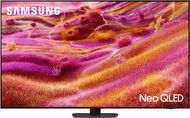
Reviews 65" Samsung QE65QN90F
Interested in reviews of 65" Samsung QE65QN90F? It got 4.6 out of 5 stars from our customers. Find specific customer reviews of 65" Samsung QE65QN90F below. We will appreciate if you also share your experiences with 65" Samsung QE65QN90F after purchasing.
User Reviews

Stanislav, Nevěstice
Rated 29/11/2025, variant 65" Samsung QE65QN90F
Verified purchase
We are very satisfied with the TV. It has a beautiful image in which no glare is visible. Fast processor.
beautiful picture
high luminance
thin frame
solar controller
nothing

0 ×Report
Automatic translation

Jiří, Praha
Rated 18/11/2025, variant 65" Samsung QE65QN90F
Verified purchase
Super thin TV with excellent controls and software it runs on. Satisfaction
excellent image
ultra slim bezel
Samsung software
fast control
excellent driver
0 ×Report
Automatic translation

Martina, Karlovy Vary
Rated 03/11/2025, variant 65" Samsung QE65QN90F
Verified purchase
Great TV. It is quite heavy and feels stable on the supplied stand. The picture is really nice - high brightness, no glare even when there is a white sofa against the TV with the sun shining on it. I was pleasantly surprised by the sound, it sounds clear and has enough depth even without external speakers. I also like the fast switching between apps - Netflix, YouTube load right away. The controller is minimalistic and that suits me fine. The dedicated app button is fine (YT, Neflix - www and Amazon I'd rather change to something else. ) Of the negatives, there would really only be a few minor things during the initial setup. Not everything is as intuitive as one would expect, but nothing drastic or extra complicated.
What bothers me is the notification of eco modes. When I switch the picture mode from greener to more energy-intensive, a warning about higher consumption pops up immediately and needs to be confirmed. Since the switching is only with a step forward and I am currently choosing between adjacent standard/eco modes, I have to click through x notifications before I get to the desired option. A relative trifle, but totally unnecessary and annoying. Otherwise, satisfaction. The picture, sound and response are excellent.
Sound quality
Minimum glare and high luminance
Very good image quality
Fast TV and app start-up
Fine controller - too bad it's plastic
Eco-mode notifications
Initial TV login (with iPhone)
0 ×Report
Automatic translation

Jaroslav, Řitka
Rated 27/10/2025, variant 65" Samsung QE65QN90F
Verified purchase
I'm very happy with the TV after going through all the settings and going through all the menus and submenus as a user. I think it's the ideal TV in terms of price/performance ratio. It provides a beautiful image that is not degraded by glare from the sun or chandelier. I definitely recommend it.
Beautiful and large 65" picture with Mini LED technology and refresh rate up to 165 Hz
Glare-reducing matte screen
High quality sound and all-encompassing 60W sound
Fast processor
Many pre-installed applications, the possibility of adding them
All possible DVB-C, DVB-S2 and DVB-T2 HEVC tuners
Fastscan - automatic tuning of Skylink stations
A very minimalistic controller designed for the younger generation that lacks the convenience of direct access to an item at the touch of a button. That's why I bought a standard Samsung controller with numbers and predefined buttons on the recommendation of other owners. Of course, some people may not mind this and may appreciate the solar charging of the flashlight, although at home in the living room this is probably a bit problematic, fortunately the controller can be recharged via USB C.
Quite difficult to set up the TV, finding some common items like tuning the satellite is a piece of cake. They also helped me at the Samsung service centre
Parameter settings for e.g. debugging is located illogically in the menu under "General information and privacy".
When we initially start the TV we are forced to create a Samsung account, and after scanning the QR code to register. Fortunately, you can do this even before your Google account. Unfortunately, you can't skip it like you could with older versions of the TV.
Unfortunately, it is not possible to create a single user list of favorite TV stations that would include stations from the different satellites I watch (I have a multiswitch that receives 4 satellites). Thus, a separate list of favourite channels must be created for each individual satellite.


0 ×Report
Automatic translation
