



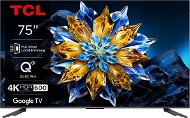
Reviews 75" TCL 75C655 PRO
Interested in reviews of 75" TCL 75C655 PRO? It got 4.9 out of 5 stars from our customers. Find specific customer reviews of 75" TCL 75C655 PRO below. We will appreciate if you also share your experiences with 75" TCL 75C655 PRO after purchasing.
User Reviews

Karel, Bechlín
Rated 29/12/2024, variant 75" TCL 75C655 PRO
Verified purchase
I've been choosing a TV for quite a while and as a price/performance winner there was nothing better and I must say I'm pleasantly surprised
Beautiful picture
Better sound than the competition in this price range thanks to the built-in subwoofer
Speed smart features
120hz
I haven't found any negatives yet

0 ×Report
Automatic translation

Jan, Šumperk
Rated 27/12/2024, variant 75" TCL 75C655 PRO
Verified purchase
ideal for places where there is too much light for a projector
great picture
quality sound
speed of system response
nothing
0 ×Report
Automatic translation

Vladimír, Býkev
Rated 26/12/2024, variant 75" TCL 75C655 PRO
Verified purchase
Size
For the price, it's a total blast.
OS speed
4K and image quality
All apps work even with 4K support (disney, max, emby with NAS etc. )
The Stream Link app and PC gaming over your home network is a blast
A bit of trouble with the initial linking of google home (my gmail) and tv. I finally had to enter a different email and then it was totally fine
0 ×Report
Automatic translation
Martin, Nový Bor
Rated 05/11/2024, variant 75" TCL 75C655 PRO
Verified purchase
I was deciding between Samsung and TCL. So far, I'm ultimately glad I went with TCL because the price vs. the performance here is exclusive. I had a 5 year old LG 65 inch where the system was worth the price and the sound was often choppy (due to a bad wifi module where the internet would disconnect and reconnect). I don't regret the extra money for 75 inches at all, because it's like a small cinema. The colours are incredibly beautiful, especially in 4k videos. Compared to ice it is a joy to look at such rich colors! We can only hope that everything will work as it should. What must be highlighted is the sound. I still have a 5.1 home theater, but I think I'll stop using it altogether now. Take it with a grain of salt, of course, but thanks to the "subwoofer" on the back, the sound from the TV is enough for me to watch my favourite movies. It is possible to adjust both bass and treble and it takes a bit of fiddling with the settings to be satisfied.
Price vs. the performance when I compare it to my 5-year-old TV.
System speed
Quality and safe home delivery
QLED - the colours are just bomb
5 years warranty
Sound
Nothing yet.
0 ×Report
Automatic translation

Anonymous customer
Rated 11/10/2024, variant 75" TCL 75C655 PRO
Verified purchase
I traded for a 7 year old LG LED 55". Switching to the new TCL 75" absolutely no problem. Watching from about 2.5 - 3m away, I got used to the screen size in no time. FullHD signal reception is the bare minimum for a 75", otherwise you'll see a bit of 'dicing at a worse signal source: ) better to play only very high quality FULLHD or 4k. The picture with Full Array Local Dimming (128 dimming zones) is definitely noticeable. As proof, if you, for example. on youtube you can watch a video designed mainly for OLED TVs, where mostly on the black background there is some object etc., you can see a very big difference compared to the usual local dimming of LED screens. The image is excellent in any lighting conditions. The Onkyo 2.1 sound with Dolby Atmos support is a cut above, somewhere else in fact, than a regular TV with ordinary sound. with sound. Those who can salt up the volume up a bit at home in the living room, don't hesitate at all. Switching from LG WebOS to TCL Google TV 12 (formerly Android TV), also no problem at all. But you need to play with it a bit, unlike webOS. If you require absolute speed of system control instead of the classic one, you can activate the developer mode, in which you disable the three options for window transition animation + max. 2 running processes in the background. Other specialties that you won't read anywhere are:
-- When you turn off the integrated microphone on the TV down next to the power button, the yellow LED on the TV then lights up in the TV on state and there is no way to turn it off, but it is a small thing that does not disturb or you can leave the microphone on and you are done.
-- If you want to use the handsfree with integrated microphone on the TV, you need to enable handsfree in your google account in the TV settings, but this option is only available if EN language is set in the TV system, but then again google voice recognition can't recognize Czech phrases anywhere in any app or system, you say ok google Křemílek a Vochomůrka and it finds absolute nonsense, so you can't search much in Czech, and if you have CZ language set in TV, so handsfree with integrated microphone can't be used, but again voice recognition when searching when you click on microphone icon in youtube and other apps or via button on controller is on point.
-- I've spent the most time testing different video players and the best sound and picture and speed and simplicity is the built-in (pre-installed) Media Player(media center), it can also do Dolby Atmos, but it has a major drawback, it doesn't adjust subtitles(color + position) and it doesn't even take over from the subtitle settings in the TV system, which I consider a mistake, so you have subtitles in the picture even if there is a black bar under the picture, where they should be by default, which other players (Kodi, Nova video player, Just player, etc. ) can automatically. And it also can't play some avi formats, however I only play from a flash drive and only mkv or mp4 so it doesn't matter. You can't play from the net with it either, but I don't use that either. I don't really recommend VLC, because it eats up system resources unnecessarily and sometimes my movie playback was a bit slow. Just player doesn't eat anything, it has subtitles under the picture (it takes the color from the system settings), it's fast simple, it can do Dolby Atmos, but it also can't do avi, and the menu for selecting from the disc is terrible. KODI's a bit of a system hog, too. Finally, I use Nova video player (but it doesn't support Dolby Atmos) for subtitled movies and the default Media player for dubbing.
-- In the picture menu, I consider the "Cinema mode" option as the ideal choice for everything -- I turned off the intelligent audio playback according to the conditions around the TV and the sound source, it didn't seem very good when I tried different shows, movies, songs, etc.
- On the other hand, I left Smart Playback on
-- I've turned on the "My apps only" option in the google account settings on the TV to better optimize it so that google doesn't keep cramming its stuff in and when I need to download something or check for new updates from google play etc. so I turn the option off, download/update what I need once in a while and turn on my apps only (in "my apps only" mode voice search via the controller doesn't work, but directly in apps via the microphone icon it does)
Very fast menu system
Google TV - download/use lots of programmes
The minuses are there as it is written next to it, but for some people it doesn't actually have to be minuses if they just leave the default settings and don't care and just look cool
Sound Onkyo 2.1 peak
Image Full Array Local Dimming gorgeous
For proper optimization, the system requires settings that may not be clear to the average user, but it is not a necessity, it can be done without it
Setup takes a bit of time if we want to try different picture/sound settings, different video players, etc. see comment
When you turn off the integrated microphone in the TV, the yellow LED on the TV lights up in the TV on state and there is no way to turn it off, but this is a small thing that does not disturb or you can leave the microphone on and done - see comment details
0 ×Report
Automatic translation
