



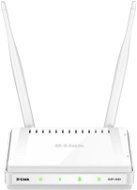
Reviews D-Link DAP-2020
Interested in reviews of D-Link DAP-2020? It got 4.3 out of 5 stars from our customers. Find specific customer reviews of D-Link DAP-2020 below. We will appreciate if you also share your experiences with D-Link DAP-2020 after purchasing.
User Reviews

Libor, Jičín
Rated 22/11/2024, variant D-Link DAP-2020
Verified purchase
Easy setup
After exactly two months, the WiFi signal stopped showing up and a complete reboot/reset didn't help either
Non-existent support
0 ×Report
Automatic translation

Milan, Losiná
Rated 01/09/2024, variant D-Link DAP-2020
Verified purchase - review from a price comparison website
It is almost impossible to find a universal and easy-to-use access point of any quality in the home. This is one of the few that are still on the market.
Reliability
Other functions besides AP
Decent setup options
That it can still be bought at all.
New firmware versions are no longer released, the bug in periodic time synchronization will probably be there forever
0 ×Report
Automatic translation

Tomáš, Velké Poříčí
Rated 07/03/2024, variant D-Link DAP-2020
Verified purchase
When initially configuring and then switching to client mode, the manual uses the link "http://dlinkap" which I had a bit of trouble with. It would probably be better to use its default IP address "http://192.168.0.50" for the connection. So far it seems to be running smoothly in client mode.
It's working as it should.
0 ×Report
Automatic translation

Ludvík, Podhradí
Rated 18/06/2023, variant D-Link DAP-2020
Verified purchase
First you need to connect the cable to the router, find out the address on the router that you got from DHCP, then set up a client to connect to the wireless network via the web interface from a computer connected to the same router. It is practically impossible to configure it in a simple way by just connecting it with a cable to a PC (logically, it is not a router with DHCP). Thanks to the fact that it has removable antennas, it is possible to connect an external directional antenna (my case) and thus realize a simple and easy connection of two objects (if I connect a router behind the AP in client mode).
It also works as a client
Has removable antennas
More complex client setup procedure
0 ×Report
Automatic translation

Marek, Bratislava
Rated 26/03/2022, variant D-Link DAP-2020
Verified purchase
It worked great
Exactly two years and three months later, he jumped. He stopped responding to any action or reset.
0 ×Report
Automatic translation

Martin, Přibyslav
Rated 27/01/2022, variant D-Link DAP-2020
Verified purchase
After 2 years, the wifi went out on 2 of the 3 APs I purchased.
After 2 years, the wifi went out on 2 of the 3 APs I purchased.
0 ×Report
Automatic translation

Lubomír, Brno
Rated 25/01/2022, variant D-Link DAP-2020
Verified purchase
It's working as it should, good range.
0 ×Report
Automatic translation
Petr, Praha 4
Rated 22/12/2021, variant D-Link DAP-2020
Verified purchase
good and functional AP/Router
super performance/price ratio
easy to set up
0 ×Report
Automatic translation

Miloš, Řevnice
Rated 30/03/2020, variant D-Link DAP-2020
Verified purchase
used to connect a network printer in a location where there is no cabling
clear and easy configuration (I recommend manual rather than automatic)
so far it works perfectly
0 ×Report
Automatic translation

Petr, Brno
Rated 14/05/2019, variant D-Link DAP-2020
Verified purchase
It works in several modes, both wireless (wifi repeater, etc. ), so it can create a wifi network (AP), when connected by cable behind the router.
It has an "old" interface that d-link does not use on today's routers. I think it's better because it has more settings than the new ones.
Setting up the AP was without problems (I'm comparing it to an older d-link router, which struggled to set up for this purpose)
Security - has Network filter (allow/deny device connections based on MAC addresses)
0 ×Report
Automatic translation
