



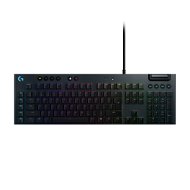
Reviews Logitech G815 LIGHTSYNC GL Tactile
Interested in reviews of Logitech G815 LIGHTSYNC GL Tactile? It got 4.5 out of 5 stars from our customers. Find specific customer reviews of Logitech G815 LIGHTSYNC GL Tactile below. We will appreciate if you also share your experiences with Logitech G815 LIGHTSYNC GL Tactile after purchasing.
User Reviews

Customer, Svatobořice-Mistřín
Rated 31/10/2024, variant Logitech G815 LIGHTSYNC GL Tactile
Verified purchase
krytky kláves po chvíli ztrácejí své barvy a nejsou k dispozici žádné náhrady
0 ×Report

Tomáš, Kladno
Rated 08/09/2024, variant Logitech G815 LIGHTSYNC GL Tactile
Verified purchase
I just sent in a second claim for a defect in the material and I hope they will refund my money so I can exchange for another one. Logitech used to be the king in peripherals, but with this one, it has fallen a lot with me.
It's good to write on
Body processing
I use the keyboard for a living and the print on the keys lasts about 3 months, then the most frequently used keys or (rest keys - where you put your hand down) start to peel. Very poor quality printing, I'm very surprised Logitech saves on the keys for so much money.
0 ×Report
Automatic translation
Anonymous customer
Rated 18/08/2024, variant Logitech G815 LIGHTSYNC GL Tactile
Verified purchase
I' ve only had the keyboard for a short time, but I' ve already managed to properly protest everything that' s important to me and also somehow validate it against what people complain about with this keyboard. First, the keyboard doesn' t really have all the keys illuminated. This means that when there are more than one character on the key, only the top is illuminated. Honestly, I don' t consider this to be a problem, because most of the time I type anyway, I don' t look at every extra key. I also went for the US layout for the same reason (also because I heard numerous negative reviews about the quality on CZ/SK from multiple directions, although I don' t know how this is possible), because the accented letters are simply not needed. The USB cable is bifurcated at the end, 1 serves as a keyboard connection, the 2nd serves as a connection between the USB hub on the keyboard and the PC. This would probably be better marked up somewhere, but again, it doesn' t pose any new problems. It' s more of a detail. What I personally have a problem with is that not all buttons are fully programmable. In fact, the only editable buttons are the macro buttons, which is quite disappointing when I' m switching from Razer after years. Not that I would ever use it, but maybe because of that the buttons can' t be reprogrammed to 3 profiles or the gaming button, which I simply don' t use for these functions or maybe only rarely. On the other hand, a 5x3 custom maker or mapping is probably more than enough, you just have to get used to switching profiles. The same question mark hangs over the G-Hub, I already use it for the mouse and headphones, but it is not exactly friendly to the keyboard. I would imagine the backlighting options to be better, and custom solutions are made rather tediously and not very skillfully (again, compared to Razer, disappointing). Apart from that, the keyboard was surprising. I mean, she probably wasn' t directly surprised, 4 thousand is already enough and some quality is expected here. The rubberized buttons are very pleasant, as are the keys themselves. The low profile and open design is very practical in the long run and cleaning. The whole thing is set in metal, which is very pleasantly solved and, above all, matte, so that no smudges remain on it. When playing, I notice slightly faster responses due to the shorter distance the key has to travel to activate. The cable looks like it could survive a nuclear disaster. The legs also look stable. I was worried that the sound wheel would feel cheap, but it also looks like it' s determined to survive enough. In general, I am satisfied with the keyboard so far, it depends on how it will be in the long term. It is also necessary to take into account that the keyboard has custom switches with some regular Cherry switches, but I looked on the Internet to find replacement buttons or even customized buttons for this keyboard.
bright backlight with adjustable brightness
nice buttons with good switches
low profile with open design
rubberized buttons for profiles, multimedia, brightness
the num and caps lock LEDs are above the F10-11 keys, so you have a much better view of it
the reaction of the switches is fast, the overall delay thus depends more and more on the reflexes of the person
ideal for play and work
the cable will definitely outlive the life of the keyboard or even the PC
the macro keys have a nice gap from the alphabet keys, you really can' t touch it by mistake, as I heard somewhere, you can tell by touch
it has its own weight, the keyboard will not travel on the table
compared to Razer, only macro buttons can be set, which is quite a shame and perhaps an unnecessary concession already in this price category
G-Hub doesn' t have a very well-designed custom backlight, you can make your own there, but it takes a lot more work than, for example, Razer
keys with multiple characters only have the upper part illuminated (for me personally this is not even a disadvantage, but it is probably a good thing to mention here)
0 ×Report
Automatic translation
Anonymous customer
Rated 03/06/2024, variant Logitech G815 LIGHTSYNC GL Tactile
Verified purchase
this is my second G815, but there have been minor changes compared to the original, so I will hope that they have also improved the life of the backlight 🤔 the life of the labels will be tragic as always and in all such keyboards, I am not under any illusions 😔 but I will try to work without the completed Czech labels and I' ll see if it can last a little longer 🤔 anyway, I' ve gotten used to this keyboard over the years, so I chose it again 🤭
elegant design
I' m fine with keystrokes
side keys G1 to G5 throw away
Settings options in the app
maybe longevity, but we' ll see 🤔
due to the type of backlight switches only at the top of the keys
0 ×Report
Automatic translation

David, Brno
Rated 24/02/2024, variant Logitech G815 LIGHTSYNC GL Tactile
Verified purchase
Perfect
0 ×Report
Automatic translation
Anonymous customer
Rated 02/04/2023, variant Logitech G815 LIGHTSYNC GL Tactile
Verified purchase
It takes a bit of getting used to when switching from a membrane keyboard.
Very comfortable when writing.
Selecting the backlight colour for each key allows you to optimise the search for that key.
USB connector for additional devices.
Five programmable keys.
It needs two USB ports.
Detailed color settings are not written to the keyboard memory, it needs G Hub running.
Poor tactile response for multimedia call keys, including the volume wheel.
The Scroll Lock indicator is missing.
0 ×Report
Automatic translation

Milan, Hostivice
Rated 12/04/2022, variant Logitech G815 LIGHTSYNC GL Tactile
Verified purchase
Unpacking and all my experience I described in this video:
https://youtu. be / CfePIR-2ogk
Quality workmanship
She plays and writes well
Wide range of settings via Logitech GHUB
The color of the M1, M2, M3 and MR keys cannot be changed, which is a cosmetic defect
Sometimes setting up the internal keyboard memory is a bit tricky

0 ×Report
Automatic translation

Dominik, Potštát
Rated 04/04/2022, variant Logitech G815 LIGHTSYNC GL Tactile
Verified purchase
For the first time, I paid extra and bought a mechanical keyboard, and I' m satisfied. At the beginning I had a problem getting used to the layout of the keys, because there are also G1-G5 keys on the left side, but it didn' t take long and I don' t even notice them and the hands are right again, on the contrary I' m happy for those keys.it is possible to buy a smaller version of the keyboard that does not have a NUM keyboard and the keys on the left. I see the disadvantage more in the Czech localization, for which it has to pay quite a bit, but if you manage to type all ten, you won' t mind at all that the keyboard has a US localization, I just swapped the Z and Y keys visually and I never had a problem when writing. The LED backlight is beautifully bright, but at the same time it does not strike the eye. The setting options in the G hub are great and it is possible to really win a lot with the keyboard settings. I have only now used the multimedia keys very often (I have never used them on previous keyboards), they are pretty handy, either by hand on the mouse or from the num keyboard, they are also pleasant to press (They sometimes act like sensitivities, like touch screens) even the volume control wheel is nice, I don' t even mind that it' s smooth and doesn' t have any style of striking. I can recommend the keyboard for me, but I would rather watch the price. I was lucky and picked it up for about 2500 CZK and that is already an acceptable price for this keyboard.
Quality of workmanship
Quality backlight that shines really nicely and brightly
Setting options in the G-Hub
USB directly from the keyboard
Silence
Multimedia keys
Programmable keys
It is necessary to get used to the G1-G5 keys on the left side from the beginning, but nothing terrible
0 ×Report
Automatic translation

Dominik, Praha
Rated 09/03/2022, variant Logitech G815 LIGHTSYNC GL Tactile
Verified purchase
light sync
multimedia keys
usb passthrough
Everything can be set in the G Hub
the secondary characters on the keys are not backlit
due to the low-profile intent of the terrible stabilization of the keys
due to poor stabilization, it is difficult to type on the keyboard, especially due to the high price
white backlight is pale blue
is to get used to the extra keys on the left
0 ×Report
Automatic translation
Ludvík, Pardubice
Rated 07/11/2021, variant Logitech G815 LIGHTSYNC GL Tactile
Verified purchase
Today we noticed that some of the keys have stopped glowing blue (the other colors are glowing). I just found out that my warranty expired a month ago, so it lasts exactly two years.
Otherwise, I'm happy with the keyboard. I use it for programming and it is easy to write on.
0 ×Report
Automatic translation
