



BenQ MX882UST Interactive Ultra Short Throw
Don't like the alternatives? Choose from the full product list
- Help and manuals
- Specifications
- Photos & Videos 14
- Alternatives 6
- Accessories and suggested products

BenQ MX882UST Interactive Ultra Short Throw
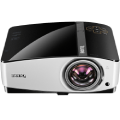
Interactive DLP projector BenQ MX882UST offers Ultra Short Throw, native 1024 x 768 resolution, high luminance of 3,300 ANSI lumens, a high contrast of 10,000: 1 and two 10 W reporduktory.
Optional interactive kits PointWrite (PW20U, PT12) allow Operations directly on the projected image using special pens and using your fingers. Audience engagement offers many possibilities to your presentation or training make special and fun to do.
There are smart functions for image editing, ability to control via LAN.
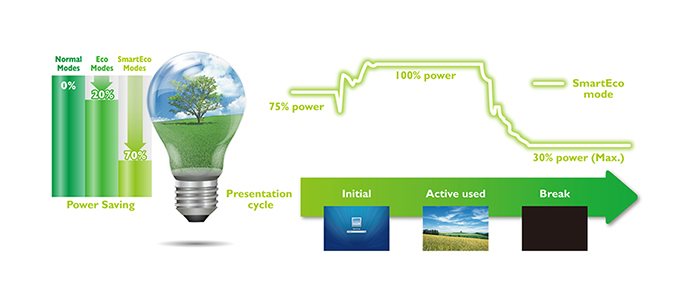
Smartec clever design reduces power consumption and extends lamp life, which reaches in this mode until 6000h.
Pojektor offers a rich equipment, including connectors. 2x HDMI, and compatibility with adapters for BenQ Wireless Display.
Exceptional sharpness and realistic colors for several years
BenQ, a world leader in DLP® projectors, offers flawless picture quality that you'll enjoy for years. BenQ boasting a number of awards uses Digital Light Processing technology from Texas Instruments®, patented technology and BrilliantColor performance without filters with almost closed construction, which provides:
- Exceptional image quality
- High acuity with excellent readability
- Vibrant, true colors

Energy saving, environmentally friendly
BenQ Smartec technology delivers lower maintenance costs without compromising on brightness, excellent image quality and optimized lamp life. He perfected everything that is expected from a DLP projector. With this special innovation you can save up to 70% lamp power consumption and lower maintenance costs through dynamic features for energy savings, where you will have an extremely high quality and vivid images.
High brightness and superior image quality

high brightness
Thanks to the high brightness of 3300 ANSI lumens, this projector can project a brighter and sharper image and text, and even in large classrooms with some ambient light.

Rapprochement between teachers and students
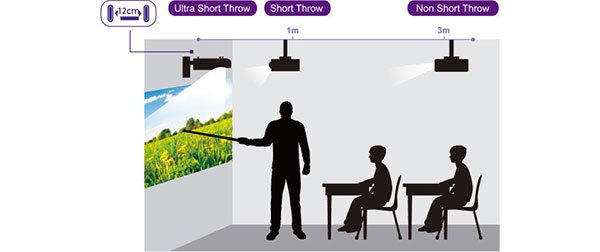
By expanding range of projectors for educational purposes, to include a comprehensive selection of very short projection ranges - up to 12 cm for 78 "screen - makes BenQ continuous learning up close.
No space limitations
Place projectors with ultra short throw distance up to 8 cm from the projection surface, so that the teachers could move freely before the board and do not block at the projection, and to minimize interference teaching.
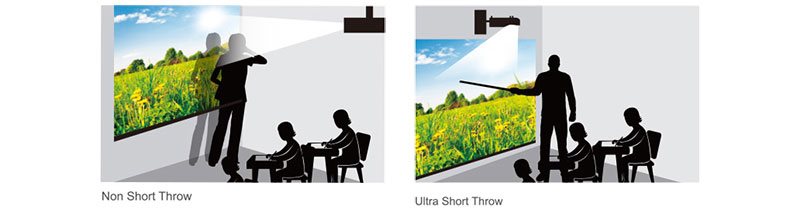
Enhance the image uniformity
Optical architecture Total Inner Reflection (TIR) ??corrects uneven brightness, which significantly improves image quality BenQ MX882UST.

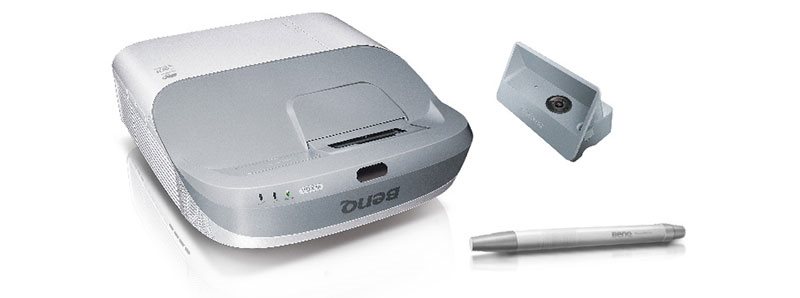
The advantages of interactivity PointWrite
(Optional kit PW20U and PT12)
BenQ projectors with interactive PointWrite ™ software and QWrite students can take the initiative in classrooms in an unprecedented extent. The new solution supports interactive BenQ called. Reciprocal teaching (flipped learning) and actual student involvement in learning.
Writing on a flat surface
PointWrite ™ works on a flat surface - even on the table - and allows several students to share and write on the same screen.
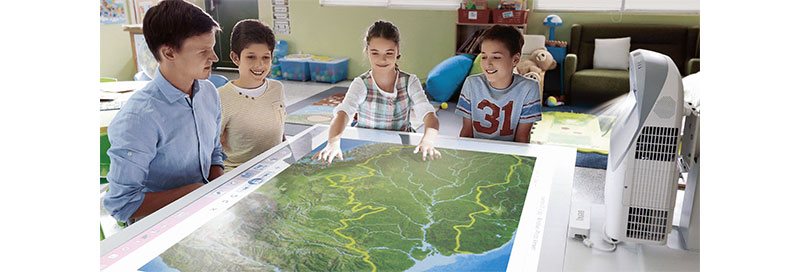
Multitouch drawing on multiple screens
Projectors PointWrite ™ supports simultaneous writing up to four people and collaboration through two projectors when writing notes on a whiteboard mode QWrite to increase productivity.

efficient installation
Easy installation by setting the holder BenQ
BenQ wall mount installation includes a table and a ruler to find the perfect alignment of the screen and image position. 3-way selector switch for enabling the same easy change shape of the screen.
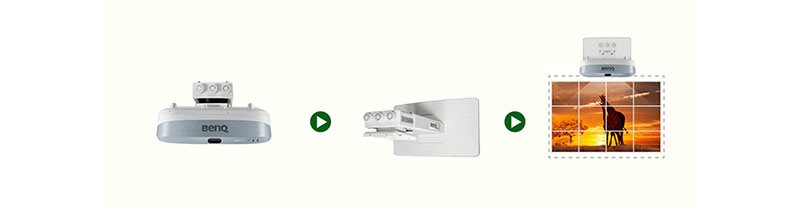
Image correction in the corners
That your picture is topped with to the letter, provides a convenient way to each corner individually adjust to the perfect shape of the image.
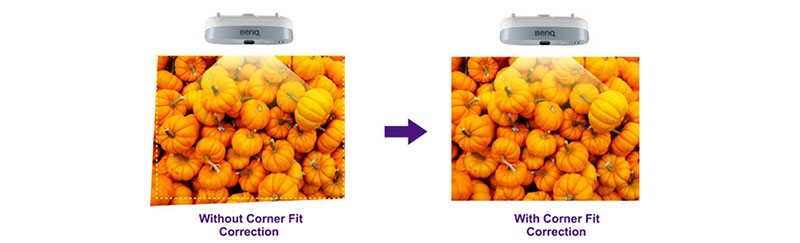
Correction hugging
Feature adaptation of the surface (Surface Fit) contained in the selected BenQ projectors for educational purposes, supports non-standard projection on surfaces such as concave or convex contours, which extends the projection.

Button quick installation
Press Speed ??Dial "Quick Install" (Quick installation) on the remote control for projector installation. It's a great time-saving features of managers performing the initial setup of the projector.

The operation, display and maintenance of LAN
Management of projectors via LAN
Control via LAN helps to effectively and efficiently carry out daily maintenance and repairs projectors - offering full access via LAN, and control each projector.
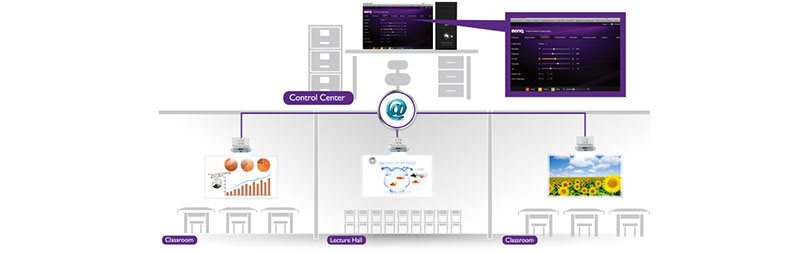
centralized broadcast
Function display via LAN allows broadcasting the synchronized content to max. 255 projectors simultaneously and represents the perfect solution for shared and common programming guidelines.
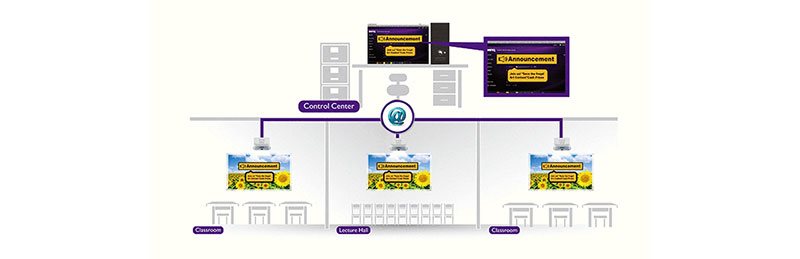
LAN Features Upgrade
IT managers can upgrade all the projectors on the network simultaneously through the LAN so that on each such device has the latest firmware.

Specifications
Resolution
Technology
Projection screens
Dimensions

This Taiwanese corporation has offices around the world and is well-known for its consumer electronics. It has further offerings in communication and computing technology, and thanks to several strategic acquisitions, has been able to enter new markets and gain prominence. It is also a major sponsor of e-sports competitions, which has brought it to prominence among younger consumers. Millions of satisfied customers around the globe can attest to BenQ's matchless quality and innovation.
Specifications can be changed without notice. Images are for illustrative purposes only.
