Drawing Tablets

The drawing tablet is a pointing device specifically designed for handmade retouching and graphics work that can’t be done with a mouse. In addition to the pressure sensitive surface that also reacts to the stylus tilt, drawing tablets include programmable buttons that help you work with specialised graphics software. It is especially useful for photographers who often have to apply finishing touches manually.




Continue

Grafický tablet

Precise Results Courtesy to a Drawing Tablet

The drawing tablet display is pressure-sensitive, so you can adjust the line thickness, fullness, opacity etc. when drawing. This means you can edit minor details with nothing but a stylus and don’t have to manually set these parameters in the editor interface, which complicates and slows down your work when using a mouse. Natural and intuitive virtual brush strokes are useful not only for writing and drawing, but also for graphic retouching or creating a complex mask. More advanced drawing tablet also detect the stylus tilt, giving the user even more control over their strokes.

Drawing Tablet or Mouse?

With good hand and eye coordination, drawing tablets allow for much finer control than a conventional computer mouse. Operating the tablet, however, requires a little practice, and its placement on your desk is also very important if you want to prevent back or shoulder pain that may develop over long use. If needed, you can control your tablet with your fingers and use it like a laptop touchpad as well.

While the mouse works relative to the cursor – i.e. to move it on the screen, we must first locate the cursor and then move the mouse accordingly - the active area of the drawing tablet always matches the screen exactly. Thus, a point on the tablet screen corresponds to a specific point on the computer screen.

The stylus of the graphics tablet wears out eventually, so the tips have to be replaceable. Most styluses also tend to include programmable buttons, usually around the area of thumb and index finger.

  • Significantly more sensitive and accurate than mouse
  • Ideal for graphic design work
  • Getting used to it takes time

How Large Should My Tablet Be?

If you only do some photo editing, a drawing tablet with a screen size of about 15×10cm will do just fine. Larger tablets are used by drafting engineers and graphic artists who also use two monitors for work. The advantage of larger drawing tablets is also the number of control buttons along the edges. When buying a tablet, also consider the size of your desk and the area where you will be using it, as the tablet—along with the keyboard—can take up a lot of space.

i Graphics tablets allow you to map your computer screen to only part of the active desktop if it's too large for your needs. So if you are not sure what size to choose, try a larger option and then adjust as needed.
Hide description
Was this information useful?
This form is used only for evaluating the information in the description above.
If you have any question about our products, services, transport or any other request, please contact our customer support.
What should be improved? Is anything missing here? Is anything wrong? Share it with us.
108 Results
Watch Price/Availability
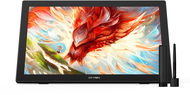
XPPen Artist 24 FHD
Graphics Tablet - display with Full HD resolution, active surface dimensions 296 × 526 mm (H×W), scanning layer resolution 5080 lpi, 8192 pressure levels, 98 % Adobe RGB colour range, wired connectivity, mains-powered, stylus pen with replacement nibs included
  779.90 €
Buy
Ordered on request
Order Code: XPP2q3
Wacom Cintiq Pro 17 - Graphics Tablet Free delivery
Alzaboxes and stores
Watch Price/Availability
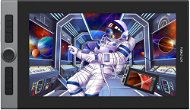
Wacom Cintiq Pro 17
Graphics Tablet - 17,28" IPS display with 4K+ resolution, scanning layer resolution 5080 lpi, 8192 pressure levels, 88 % Adobe RGB colour range, wired connectivity, mains-powered, stylus pen with replacement nibs included
  2,959 €
Buy
We accept pre-orders
Order Code: MF129c1
3.7 3×
Watch Price/Availability
XP-Pen Artist Pro 16
Graphics Tablet - 15,6" IPS display with Full HD resolution, active surface dimensions 192 × 341 mm (H×W), scanning layer resolution 5080 lpi, 8192 pressure levels, mains-powered, stylus pen with replacement nibs included
  466.90 €
Buy
Ordered on request
Order Code: XPP3a8
5.0 1×
Watch Price/Availability
Wacom Cintiq Pro 24 Touch
Graphics Tablet - 23,6" IPS display with 4K+ resolution, active surface dimensions 294 × 522 mm (H×W), scanning layer resolution 5080 lpi, 8192 pressure levels, 99% Adobe RGB colour range, wired connectivity, USB-powered
  2,639 €
Buy
Ordered on request
Order Code: MF115e10h
2.0 1×
Watch Price/Availability
Wacom Cintiq Pro 24
Graphics Tablet - 24" IPS display with 4K+ resolution, active surface dimensions 294 × 522 mm (H×W), scanning layer resolution 5080 lpi, 8192 pressure levels, wired connectivity, USB-powered, stylus pen with replacement nibs included
  2,179 €
Buy
Ordered on request
Order Code: MF115e10f
4.8 43×
Watch Price/Availability
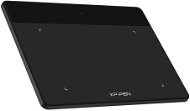
XP-PEN Deco Fun XS
Graphics Tablet - active surface dimensions 76 × 122 mm (H×W), scanning layer resolution 5080 lpi, 8192 pressure levels, wired connectivity, USB-powered, stylus pen with replacement nibs included
  27.90 €
Currently Unavailable
Order Code: XPP7a1
5.0 10×
Watch Price/Availability
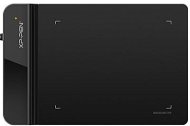
XPPen Deco 640
Graphics Tablet - active surface dimensions 90 × 160 mm (H×W), scanning layer resolution 5080 lpi, 16384 pressure levels, wired connectivity, USB-powered, stylus pen with replacement nibs included
  36.90 €
Currently Unavailable
Order Code: XPP2o1
4.6 59×
Watch Price/Availability
XP-PEN Star G430S
Graphics Tablet - active surface dimensions 76 × 102 mm (H×W), scanning layer resolution 5080 lpi, 8192 pressure levels, stylus pen with replacement nibs included
  29.90 €
Currently Unavailable
Order Code: XPP2a1
4.7 38×
Watch Price/Availability
XP-PEN Star G640
Graphics Tablet - active surface dimensions 102 × 152 mm (H×W), scanning layer resolution 5080 lpi, 8192 pressure levels, wired connectivity, stylus pen with replacement nibs included
  48.90 €
Currently Unavailable
Order Code: XPP2a3
Watch Price/Availability
XPPen Deco Pro XLW (2nd Gen) + RC
Graphics Tablet - display, active surface dimensions 229 × 381 mm (H×W), scanning layer resolution 5080 lpi, 16384 pressure levels, wireless connectivity, powered via 3030mAh battery, stylus pen with replacement nibs included
  201.90 €
Currently Unavailable
Order Code: XPP2k8
5.0 3×
Watch Price/Availability
XP-Pen Artist 22 (2nd gen)
Graphics Tablet - 21,5" IPS display with Full HD resolution, active surface dimensions 268 × 476 mm (H×W), scanning layer resolution 5080 lpi, 8192 pressure levels, 94 % Adobe RGB colour range, wired connectivity, mains-powered, stylus pen with replacement nibs included
  615.90 €
Currently Unavailable
Order Code: XPP4a2
Watch Price/Availability
XP-Pen Protective film for Deco 02
Film Screen Protector for XP-Pen Deco 02
  5.29 €
Currently Unavailable
Order Code: XPP6a3
In the category Drawing Tablets on Alza.at, we currently have a total of 108 products, which you can easily buy online and get quickly delivered. See all of your purchases and make orders on our easy-to-use app.
Check out products sorted by price starting with the lowest price in the category cheap drawing Tablets Find products sorted from the most expensive to the cheapest in the category most expensive drawing Tablets Check out products sorted by price starting with the highest price in the category best sellers, best drawing Tablets You’ll find products sorted by reviews starting from the highest ranked in drawing Tablets reviews