



Ergonomics & Healthy Posture
Sitting and working at a computer will obviously not make you an athlete, but it doesn't have to cause direct harm such as back, arm or neck pain. That's why it's essential to build an ergonomic workstation, which means much more than just trying not to slouch. There are a number of practices and rules that will make your computer work much healthier.
Ergonomics is essential for the comfortable use of computers. Proper desk seating and several ergonomic tools will increase your productivity and prevent ailments such as carpal tunnel syndrome and back pain. How can you sit properly and which devices will help you? Just follow our advice.
Continue
629
Results


AlzaErgo Arm D135B Mechanic
Monitor Arm - For 2 monitors ranging from 17" to 35", suitable for both flat and curved monitors; maximum arm load capacity of 11kg for a flat monitor (10kg for a curved monitor), total load capacity 22 / 20kg, quick-release (removable) VESA plates, installation on the edge of the desk (10–50mm) or through a desk hole (10–50mm), monitors can be tilted (+75° to -45°), swivelled (+90° to -90°), rotate (+180° to -180°), pivot (portrait mode), rotation lock (from ±180° to ±90°), adjustable mechanical springs (depending on monitor weight), VESA 75×75 and 100×100mm, cable management system, mounting kit included
Discounted -18 %
82.90 €
101.90 €
In stock

Order by midnight, get it at the AlzaBox in the morning.
Info
Order Code:
AEY0865
AlzaErgo Arm SC50B Heavy Duty DockStation
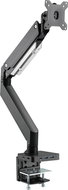
Monitor Arm - with a 6-in-1 docking station (1× USB-C PD (100 W), 1× USB-C upstream, 1× HDMI 2.0, 1× RJ45, and 2× USB-A), for both flat and curved monitors from 17 to 49 inches, maximum arm load capacity of 18kg (14kg for curved monitors), quick-release VESA (removable) plate, installation on the edge of a desk (10–85mm) or through a desk (10–48mm), monitors can be tilted (±45°), swiveled (±90°), rotated (±180°), and pivoted (portrait mode), adjustable gas spring based on monitor weight, rotation lock (from original ±180° to ±90°), VESA 75×75 and 100×100mm, cable management system, mounting kit and a 1m double-sided USB-C cable included
Great price
141.90 €
In stock > 5 pcs
Order by midnight, get it at the AlzaBox in the morning.
Info
Order Code:
AEY0833g

AlzaErgo Arm DC115B Flow DockStation
Monitor Arm - with 8-in-1 docking station (1× USB-C PD (100 W), 1× USB-C upstream, 2× HDMI 2.0, 1× RJ45 and 3× USB-A), for 2 monitors 17 to 32", suitable for straight and curved monitors, maximum shoulder capacity 9 kg, total load capacity 18 kg, quick-release (removable) VESA plates, installation on table edge (10-50 mm) or grommet plate (10-50 mm), monitors can be tilted (±45°), rotate (±90°), rotate (±180°), Pivot (use of portrait monitors), adjustable gas springs according to the weight of the monitors, VESA 75×75 and 100×100 mm, cable management system, mounting kit and 1 m double-sided USB-C cable included
Great price
157.90 €
In stock > 5 pcs
Order by midnight, get it at the AlzaBox in the morning.
Info
Order Code:
AEY0853d


Rapture OBLIVION DX white
Monitor Arm for tables and with desk grommet, 24" to 57", max load of 54kg, tilt + 70° / - 45°, rotating 180°, rotation 180°, VESA 100×100, 100×200, 200×100, 200×200 and 75×75 mm
Discounted -34 %
113.99 €
175 €
In stock
Order by midnight, get it at the AlzaBox in the morning.
Info
Order Code:
RPTMA001d


AlzaErgo Table ET2 Essential white
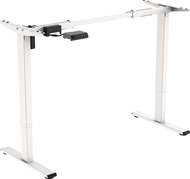
Height Adjustable Desk - electrically adjustable, height 71–121 cm, width 85–129 cm, 1 motor with a speed of 25 mm/s and a noise level of up to 50 dB, anti-collision system with 3 sensitivity levels, 2-section rectangular legs, cable management system, push-button control panel with display, memory for 4 positions, material steel, leveling feet, recommended board size (100-160) × (50-80) cm with a thickness ≥ 1.6 cm, load capacity 70 kg, power cable length 3.1 m, without table top
AlzaErgo Arm S50S Heavy Duty Silver
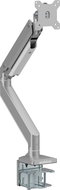
Monitor Arm for tables and with desk grommet, 17" to 49", max load of 18kg, tilt +/- 45°, rotating 180°, rotation 180°, VESA 100×100 and 75×75 mm
Great price
106.90 €
In stock > 5 pcs
Order by midnight, get it at the AlzaBox in the morning.
Info
Order Code:
AEY0833a
Great price
13.90 €
In stock > 10 pcs
Order by midnight, get it at the AlzaBox in the morning.
Info
Order Code:
AEY0840s

AlzaErgo Table ET7 Heavy Duty white
Height Adjustable Desk - rectangular, with dimensions 130,5×190×70,6 cm (H × W × D), steel construction, total weight 55,6 kg
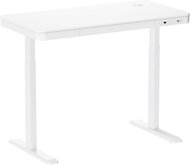
AlzaErgo Table ET6 AiO Charge 118x60 cm white
Height Adjustable Desk - rectangular, with dimensions 120×118×60 cm (H × W × D), board made of chipboard, steel construction, drawers

ERGOTRON NX Monitor Arm Black
Monitor Arm for tables, up to 34", max load of 8kg, VESA 100×100 and 75×75 mm
99.90 €
In stock 2 pcs
Order by midnight, get it at the AlzaBox in the morning.
Info
Order Code:
WY031l1
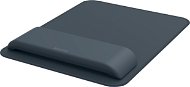
LEITZ Ergo 20.5 x 27.5 cm, dark grey
Mouse Pad - material: plastic and foam, wrist rest, size: 20,5 × 2,5 × 27,5cm, grey colour
31.90 €
In stock 3 pcs
Order by midnight, get it at the AlzaBox in the morning.
Info
Order Code:
LTZ597a
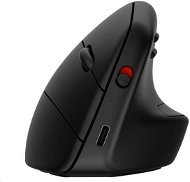

HP 925 Ergonomic Vertical Mouse
Mouse - vertical, wireless, BlueTrack, 4000DPI, 5 buttons, bluetooth, black
69.90 €
In stock 5 pcs
Order by midnight, get it at the AlzaBox in the morning.
Info
Order Code:
HPCP0406h5p
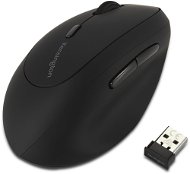

Kensington Pro Fit Left-Handed Ergo Wireless Mouse
Mouse - vertical, wireless, optical, 1600DPI, 6 buttons, black
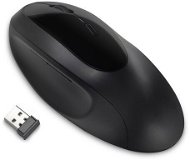

Kensington Pro Fit Ergo K75404EU
Mouse - wireless, 1600DPI, 5 buttons, DPI settings and silent, bluetooth, black
Discounted -30 %
35.99 €
51.90 €
In stock
Order by midnight, get it at the AlzaBox in the morning.
Info
Order Code:
NX900a114

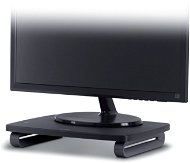
103.90 €
In stock 3 pcs
Order by midnight, get it at the AlzaBox in the morning.
Info
Order Code:
NX900a24
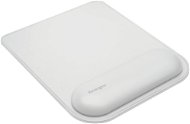
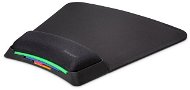
Kensington ErgoSoft Wrist Rest Mouse Pad
Mouse Pad - size: S, material: artificial leather, wrist rest, black, white and multicolour colour
31.99 €
In stock > 5 pcs
Order by midnight, get it at the AlzaBox in the morning.
Info
Order Code:
NX900a84
99.90 €
In stock 2 pcs
Order by midnight, get it at the AlzaBox in the morning.
Info
Order Code:
NX900a36
Discounted -29 %
19 €
26.90 €
In stock
Order by midnight, get it at the AlzaBox in the morning.
Info
Order Code:
NX900a34

LEITZ Ergo black, synthetic leather cover
Office Chair -, metal and revolving, ergonomic construction, upholstery material: synthetic leather, seat pan padding: PUR foam, plastic base, plastic wheels universal surface, black colour, carrying weight: up to 110 kg
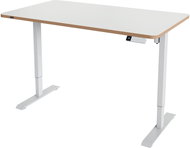

LEITZ Ergo electric 140 x 80 cm, white
Height Adjustable Desk - rectangular, with dimensions 72×140×80 cm (H × W × D), board made of chipboard, steel construction, total weight 39,95 kg
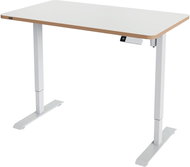
LEITZ Ergo electric 120 x 70 cm, white
Height Adjustable Desk - rectangular, with dimensions 72×120×70 cm (H × W × D), board made of chipboard, steel construction, total weight 33,95 kg
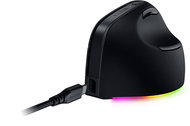
Razer Pro Click V2 - Vertical Ed.
Gaming Mouse - vertical, wireless, optical, 30000DPI, 7 buttons, user profiles, RGB backlighting, cord length: 1.2m, bluetooth and USB-C, black
 Alza Days
 Ergonomic Chairs
 Height Adjustable
 Mouse Pads
 Mice
Mice
 Keyboard
 Mounts for Monitors
 Monitor Stands
 Foot Rests
 Lumbar & Back Rests
 Sitting Balls
 Jak správně sedět
Ergonomie: Jak zdravě pracovat?
Jak správně sedět
Ergonomie: Jak zdravě pracovat?
No longer sold
In the category Ergonomics & Healthy Posture on Alza.at, we currently have a total of 629 products, which you can easily buy online and get quickly delivered. See all of your purchases and make orders on our easy-to-use app.
Chcete doručit do České republiky? Jdi na
Ergonomie a zdravé sezení
Chcete doručiť tovar na Slovensko? Prezrite si
Ergonómia a zdravé sedenie
Für den Versand nach Deutschland, besuchen Sie bitte
Ergonomie am Arbeitsplatz
Magyarországra rendelnél? Látogasd meg ezt a termékkategóriát
Ergonomikus irodai eszközök
