




Google Chromecast Ultra
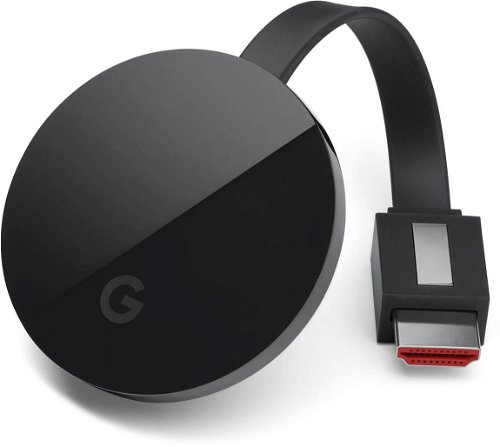
Multimedia Centre - with support for 4K Ultra HD, Wi-Fi, ethernet LAN, HDMI 2.0 and micro USB, power adapter in package
Show full description
Code:
GO180e
Producer's Website:
Don't like the alternatives? Choose from the full product list
- Reviews 20
- Help and manuals
- Specifications
- Photos & Videos 2
- Alternatives 6
- Accessories and suggested products

Google Chromecast Ultra
Discontinued
Google Chromecast Ultra
Google Chromecast Ultra is the successor of popular Chromecast and Chromecast 2 mini computers that have transformed ordinary TV into almost full Smart TV. Newly handle 4K resolution, HDR video is faster and you can connect it to a network with an Ethernet cable. The device is only 6 mm larger than its predecessor, so still small enough to hide the problem behind the television.
Key features
- Meanwhile, the most powerful Chromecast Multimedia Center
- Support 4K resolution and HDR
- Youtube, Netflix
- Easy connection
- Mobile Device Management
- Compatible with Google Android, Apple iOS and Microsoft Windows
4K and HDR
The most significant enhancement is the 4K support that lets you play full-quality YouTube or Netflix videos to fully utilize the potential of the 4K Ultra HD panel if you own a TV or monitor. You can also stream from other applications - Alza Media, Hulu Plus, HBO Now, Spotify, etc.
Get a crisp, crisp, crisp picture even if you're playing a lower resolution video, Chromecast Ultra optimizes all image content to make the best result on the viewer. Another new addition to the Ultra comes with HDR video support, namely HDR10 and Dolby Vision.
Streaming from phones and tablets
Of course, it is also possible to connect to the Chromecast Ultra smartphone, tablet, or laptop and stream their content to a large TV screen, whether they have iOS, Android or Windows. You will use these devices with Google Cast installed as a remote control. For Android devices, you can also mirror the screen directly on the TV.
Small size, remarkable performance
The new Chromecast Utra is 1.8 times faster at loading and processing than its predecessor. In addition to the built-in Wi-Fi module with improved revenue, it also has an Ethernet port , so if you are not sure about the home Wi-Fi network's reach, its reach, or Wi-Fi you just do not have at home, you can connect the Chromecast Ultra with a network cable. The port is not located directly on the device body, but on the power cord.
Additional information:
Requirements:
TV with HDMI port
Wi-Fi network or an Ethernet cable with an Internet connection
Wi-Fi smartphone, tablet, or notebook (Devices with the following operating systems are supported: Android 4.1 and higher, iOS 8.0 and above, Mac OS X 10.9 and higher, Windows 7 and above)
Wi-Fi:
802.11ac (2.4 GHz / 5 GHz)
Package contents:
Chromecast Ultra
Power cable
Power adapter with ethernet port
Specifications
Colour
Supported resolution
Interface
Connectivity
Functions
Colour
Colour
Basic parameters
Supported resolution
Connection and playback
Interface
Connectivity
Features and functions
Functions
Package contents
Package contents
More Specifications

Google Commerce Limited, 70 Sir John Rogerson’s Quay, Dublin 2, D02 R296, Ireland, g.co/pixel/help
Note:
Specifications can be changed without notice. Images are for illustrative purposes only.
