



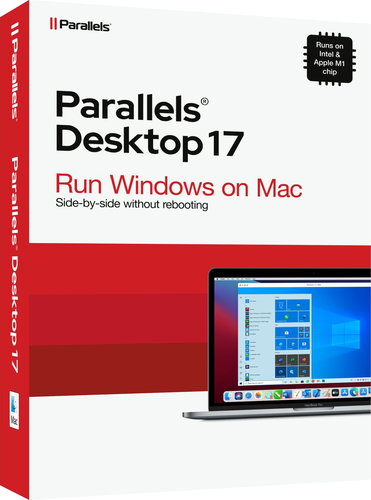
Parallels Desktop 17 for Mac (BOX)
Don't like the alternatives? Choose from the full product list


- Reviews 1
- Help and manuals
- Specifications
- Photos & Videos 1
- Alternatives 8
- Accessories and suggested products

Parallels Desktop 17 for Mac (BOX)
Potřebujete spouštět programy pro Windows, které nemají verze pro Mac? Moving from PC to Mac and need to transfer data? Then Parallels Desktop 17 is for you. Share files and folders, copy and paste images and text, and drag and drop files, all simply without rebooting. Windows graphics and resource-intensive applications run fast without slowing down your Mac. Run applications like Microsoft Office, Visual Studio, SQL Server, PowerBI, AutoCAD, MetaTrader and thousands of others. Play your favourite classic Windows games on your Mac.
Key Features of Parallels Desktop 17 Virtual Machine Software
- Parallels Desktop 17 software for running Windows programs on a Mac
- Share files and folders, copy and paste images and text
- Works on Macs with Intel and Apple M1 chips
- Optimizes virtual machine setup and performance
- Ready for the latest macOS 12 Monterey
- Ability to use an existing Boot Camp installation
- Optimised for Windows 10 and macOS Big Sur
Optimized Parallels Desktop 17 virtual machine performance
Parallels Desktop that works on Macs with Intel and Apple M1 chips. Select the predominant method, you want to use Windows (productivity, games, design, software testing, development) and Parallels Desktop optimizes virtual machine settings and performance for you. Parallels Desktop 17 is also ready for the latest MacOS 12 Monterey, allowing you to easily drag and drop text and images into the MacOS Monterey Quick Note from Windows applications. You can use an existing Boot Camp installation in a Parallels Desktop virtual machine.
Specifications
Basic parameters
License type
License
Compatibility
Specifications can be changed without notice. Images are for illustrative purposes only.
