Try our cookies Alza.cz a. s., Company identification number 27082440, uses cookies to ensure the functionality of the website and with your consent also to personalisage the content of our website. By clicking on the “I understand“ button, you agree to the use of cookies and the transfer of data regarding the behavior on the website for displaying targeted advertising on social networks and advertising networks on other websites.
Alzak icon
Catalogue
Price
-
Availability
Brands
(30)
(8)
(22)
(3)
(41)
Storage capacity (total)
120 GB
8,000 GB
- 0.12 TB 8 TB
Format (Form Factor)
(39)
(43)
(1)
(4)
(63)
Use
(138)
(117)
(4)
(2)
(4)
(140)
Internal interface
(39)
(21)
(60)
(2)
(27)
(1)

PC configurator - SSD

Solid state drives (SSD) are a modern alternative to standard hard disk drives. Their main advantages include higher speeds, low power consumption and increased resistance to physical influences. Today, the SSD is being promoted as the main system drive because of its dramatic influence on the improved functionallity of both applications and operating system.

Continue

SSD Format

The format defines the physical dimensions of the SSD disk. It is important to pay attention to avoid compatibility problems. Today we distinguish between the two main SSD formats:

  • M.2 - A modern format that makes SSD drives more economical in size. Instead of mounting them in the case, they are placed directly on the motherboard. The M.2 format opens new speed options for SSDs, which is mainly provided by the NVMe compatible interface.
  • 2.5" - This is a traditional format taken from older disk drives. These SSDs are not expensive and fit into older assemblies or laptops as they connect via the established SATA III bus. A modern way to connect faster 2.5" SSDs is through a U.2 port.
  • PCIe - PCI-Express SSDs use a standard NVMe controller, only its connected via a general PCIe x4 port, which can be found on virtually all motherboards. For M.2 SSDs, you can purchase a PCIe slot adapter.

Capacity of SSD Drives

Hard drive capacity defines the amount of free space available to you for the operating system, documents, programs, movies, and all the data you accumulate on your computer.

CapacityWhat the Disk Can Handle
from 120GBoperating system, basic set of programs
from 240GBoperating system, a number of programs used, and a few games
from 480GBoperating system, a large number of programs, and about 10 games
from 960GBoperating system, almost all programs, lots of games and some videos and photos

SSD Drive Interface

The interface in this context means how to connect the drive to a computer. Each interface has some features such as improved speed or power capabilities. Each interface has one or more specific connectors.

Internal SSD Interface

We use the internal interface to connect SSDs placed inside the computer

  • SATA III - SATA is already a heavily experienced interface for connecting internal drives. However, modern SSD drives outperform SATA capabilities, which use the AHCI communications interface optimised primarily for much slower HDDs.
  • mSATA - mSATA is a kind of spiritual precursor to SSD format M.2. The name implies that it communicates via the SATA bus so that all its limitations apply to this format. The advantage is only smaller dimensions. They are not too popular, and standard SATA connectors are not compatible, so make sure you check your computer twice for this special slot.
  • M.2 (SATA) - M.2 is the format we have imagined above and does not guarantee higher speeds per se. The M.2 interface can also handle drives communicating through the older SATA bus, but their speeds will be limited by this fact.
  • M.2 (NVMe) - NVMe is a communications interface that replaces the obsolete AHCI and meets the needs of fast SSD drives much better. Its biggest advantage is enabling high-speed parallel data transfer via PCI-Express. NVMe SSDs are the fastest storage you can enjoy today.
  • PCI-Express - PCIe SSD drives are actually NVMe SSDs that use a common PCI Express 3.0 x4 bus connector instead of a specialised M.2 slot to communicate. There are also reduction cards through which the M.2 SSD can be connected to the PCIe slot.
  • U.2 - The M.2 format has enabled SSDs to shrink significantly, which in some applications, has also reduced their capacity. The U.2 connector can connect 2.5" SSD drives with the NVMe to ensure high speeds for them. If your motherboard does not have a U.2 connector, it can be connected to the M.2 slot via an adapter.
PortCommunication InterfaceMaximum speed
PCIe x4NVMe4000 MB/s
U.2
M.2 (NVMe)
M.2 (SATA)AHCI (SATA III)600 MB/s
mSATA
SATA III

External SSD Interface

The external interface is used to connect external drives as well. In these waters, the USB interface versions dominates the others. See the table below for the speeds of each interface.

  • USB 2.0 - USB 2.0 is not the oldest, but it has become nearly obsolete. The potential of a fast SSD is completely lost with this connection.
  • USB 3.0 (3.1 Gen1) - Do not be fooled by misleading markings. USB 3.1 Gen1 is a good old USB 3.0, which is now being referred to in this new way in some new contexts. This interface is already capable of handling external SSDs.
  • USB 3.1 (3.1 Gen2) - USB 3.1 Gen2 offers twice the bit rate compared to Gen1, plus up to 100W power.
  • USB-C - This connector roughly corresponds to a well-known microUSB, but it has a number of advantages that make it a connector of the future. The most general of these is its symmetrical shape, which you'll always connect on the first attempt. At the same time, USB-C supports all USB connectors including the USB 3.1 Gen2. At the same time, the USB-C can handle network connectivity through Ethernet and image transfer using HDMI 2.0. Due to its high popularity, USB-C is already on the line of modern external SSD drives.
USB TypeSpeed
USB 2.0480 Mb/s
USB 3.0 (3.1 Gen1)5 Gb/s
USB 3.1 (3.1 Gen2)10 Gb/s

SSD Drive Speed: Reading and Writing

The speed of reading for an SSD is the speed at which the device is able to access stored data. Writing speed is how fast the drive can receive data and save it.

  • MB/s - A standard unit that records the speed of sequential reading or writing of large files, such as movies or compressed data.
  • IOPS - A unit relevant to the reading and writing context of smaller files located on different parts of the SSD disk, such as application files or operating systems.
SSDMB/s (read/write)IOPS (Read/Write)
Lowest Class (AHCI)360/130 MB/s76,000/73,000 IOPS
Middle Class (AHCI)540/520 MB/s97,000/88,000 IOPS
Higher class (NVMe)2 000/800 MB/s170,000/135,000 IOPS
Highest Class (NVMe)3 500/2 100 MB/sIOPS 440,000/360,000

Special Features of SSD Drives

  • TRIM - This is an operation that provides the highest speed for SSD writing. When data is deleted, only the presence of the information is normally deleted, the actual content is deleted only when overwritten, which is a relatively lengthy process. The TRIM feature ensures that when the data is deleted, the SSD cells are released faster for a new entry.
  • RAID - The RAID feature allows data to be spread accross mulitple SSDs. The primary purpose of RAID connection is to protect stored data, but some types of RAID can also have a very positive effect on speed.

SSD Drive Features

  • SLC -SLCs store only one bit in each cell, resulting in high speeds and a long service life. However, the low density of data makes these SSDs quite expensive.
  • MLC - SSD drives using MLC can hold two bits in one cell. This will increase the data density and reduce the price. But with it, life and speed.
  • TLC - With TLC memory, it is possible to store three bits in one cell, which significantly increases data density, reduces physical dimensions, and reduces costs. Unfortunately, I think there is worse reliability and also lower speed of these discs.
Hide description
Was this information useful?
This form is used only for evaluating the information in the description above.
If you have any question about our products, services, transport or any other request, please contact our customer support.

What should be improved? Is anything missing here? Is anything wrong? Share it with us.
150 Results
4.9 1,254×
Kingston KC3000 2TB
SSD M,2 (PCIe 4,0 4x NVMe) , 3D TLC, theoretical lifespan 1600TBW
325.90 €
In stock > 5 pcs
Order by midnight, get it at the AlzaBox in the morning.
Info
Order Code: FTkc3000a3
4.8
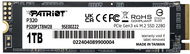
Patriot P320 1TB
SSD M,2 (PCIe 3,0 4x NVMe) , QLC (Quad-Level Cell), theoretical lifespan 480TBW
Amazing Deal 142.90 €
In stock > 5 pcs
Order by midnight, get it at the AlzaBox in the morning.
Info
Order Code: DP828d4
4.9 12×
Crucial P310 2TB (2230)
SSD M,2 2230, M,2 (PCIe 4,0 4x NVMe) , 3D NAND, theoretical lifespan 440TBW
Amazing Deal 244.90 €
In stock > 5 pcs
Order by midnight, get it at the AlzaBox in the morning.
Info
Order Code: CR007l6c
4.9 232×
Samsung 990 PRO 1TB Heatsink
SSD M,2 (PCIe 4,0 4x NVMe) , TLC (Triple-Level Cell), theoretical lifespan 600TBW
Great price 215.90 €
In stock > 5 pcs
Order Code: SAS990ph3
5.0
Crucial E100 2TB
SSD M,2 2280, M,2 (PCIe 4,0 4x NVMe) , 3D NAND, theoretical lifespan 100TBW
Amazing Deal 203.90 €
In stock > 5 pcs
Order by midnight, get it at the AlzaBox in the morning.
Info
Order Code: CR02e100a5
4.7 181×
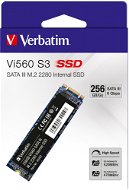
Verbatim VI560 S3 256GB
SSD M,2 (SATA), 3D NAND, theoretical lifespan 110TBW
Amazing Deal 49.90 €
In stock > 5 pcs
Order by midnight, get it at the AlzaBox in the morning.
Info
Order Code: DY251b1
4.9 2,408×
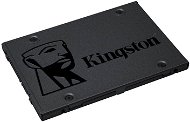
Kingston A400 480GB 7mm
SSD 2,5", SATA III, TLC (Triple-Level Cell), theoretical lifespan 160TBW
Amazing Deal 81.90 €
In stock > 5 pcs
Order by midnight, get it at the AlzaBox in the morning.
Info
Order Code: FT132e6a3
4.9 1,254×
Kingston KC3000 1TB
SSD M,2 (PCIe 4,0 4x NVMe) , 3D TLC, theoretical lifespan 800TBW
Great price 179.90 €
In stock > 5 pcs
Order by midnight, get it at the AlzaBox in the morning.
Info
Order Code: FTkc3000a2
5.0
Seagate FireCuda 530R 4TB Heatsink
SSD M,2 2280, M,2 (PCIe 4,0 4x NVMe) , TLC (Triple-Level Cell), theoretical lifespan 5050TBW
527.90 €
In stock > 5 pcs
Order by midnight, get it at the AlzaBox in the morning.
Info
Order Code: FP653g4
Crucial T710 4TB with heatsink
SSD M,2 2280, M,2 (PCIe 5,0 4x NVMe), 3D NAND, theoretical lifespan 2400TBW
Great price 512.90 €
In stock 5 pcs
Order by midnight, get it at the AlzaBox in the morning.
Info
Order Code: CR02t710b5
4.5 78×
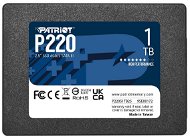
Patriot P220 1TB
SSD 2,5", SATA III, QLC (Quad-Level Cell), theoretical lifespan 480TBW
Great price 125.90 €
In stock > 5 pcs
Order by midnight, get it at the AlzaBox in the morning.
Info
Order Code: DP826e4
4.9 32×
Patriot VIPER VP4300 Lite 4TB
SSD M,2 (PCIe 4,0 4x NVMe) , 3D NAND, theoretical lifespan 2000TBW
Amazing Deal 406.90 €
In stock > 5 pcs
Order by midnight, get it at the AlzaBox in the morning.
Info
Order Code: DP826b5n
4.8 142×
Verbatim Vi3000 512GB
SSD M,2 (PCIe 3,0 4x NVMe) , TLC (Triple-Level Cell), theoretical lifespan 375TBW
99.90 €
In stock > 5 pcs
Order Code: DYvi3000a2
5.0
Patriot P400 Lite 500GB
SSD M,2 (PCIe 4,0 4x NVMe) , 3D NAND, theoretical lifespan 280TBW
Amazing Deal 97.90 €
In stock > 5 pcs
Order by midnight, get it at the AlzaBox in the morning.
Info
Order Code: DP829b2
Crucial P310 4TB with heatsink
SSD M,2 2280, M,2 (PCIe 4,0 4x NVMe) , 3D NAND, theoretical lifespan 800TBW
Great price 386.90 €
In stock 1 pcs
Order Code: CR007l7e2
4.7 1,020×
Verbatim VI550 S3 2.5" SSD 512GB
SSD 2,5", SATA III, 3D NAND, theoretical lifespan 240TBW
Buy with code ALZADAYS5AT The discount code gives the option of applying a discount on a given product when entering the code in the shopping cart. Erhalten Sie 5 % Rabatt mit dem Code ALZADAYS5AT. Das Angebot gilt bis zum 15. September 2025 oder solange der Vorrat reicht und ist nur für Endverbraucher bestimmt. 85.41 €
Amazing Deal 89.90 €
In stock > 5 pcs
Order by midnight, get it at the AlzaBox in the morning.
Info
Order Code: DY251a3
4.9 111×
Kingston SKC600 256GB
SSD 2,5", SATA III, TLC (Triple-Level Cell), theoretical lifespan 150TBW
86.90 €
In stock > 5 pcs
Order Code: FT133a4b1
5.0
Crucial T710 2TB
SSD M,2 2280, M,2 (PCIe 5,0 4x NVMe), 3D NAND, theoretical lifespan 1200TBW
Amazing Deal 309.90 €
In stock > 5 pcs
Order by midnight, get it at the AlzaBox in the morning.
Info
Order Code: CR02t710a4
Patriot P220 2TB
SSD 2,5", SATA III, 3D NAND, theoretical lifespan 960TBW
New arrival 252.90 €
In stock > 5 pcs
Order by midnight, get it at the AlzaBox in the morning.
Info
Order Code: DP826e5
4.9 27×
WD Blue SN5100 NVMe SSD POWERED BY SANDISK 2 TB
SSD M,2 2280, M,2 (PCIe 4,0 4x NVMe) , QLC (Quad-Level Cell), theoretical lifespan 900TBW
Great price 245.90 €
In stock > 5 pcs
Order Code: FWsn51a4
4.8 451×
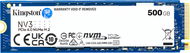
Kingston NV3 2TB
SSD M,2 2280, M,2 (PCIe 4,0 4x NVMe) , 3D NAND, theoretical lifespan 640TBW
244.90 €
In stock > 5 pcs
Order by midnight, get it at the AlzaBox in the morning.
Info
Order Code: FTnv3a4
4.8
Crucial P510 2TB with heatsink
SSD M,2 2280, M,2 (PCIe 5,0 4x NVMe), 3D NAND, theoretical lifespan 1200TBW
Amazing Deal 235.90 €
In stock > 5 pcs
Order Code: CR02p510b4
4.9 14×
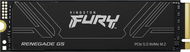
Kingston FURY Renegade G5 1TB
SSD M,2 2280, M,2 (PCIe 5,0 4x NVMe), TLC (Triple-Level Cell), theoretical lifespan 1000TBW
Great price 219 €
In stock > 5 pcs
Order by midnight, get it at the AlzaBox in the morning.
Info
Order Code: FTfrg5a3
4.2 78×
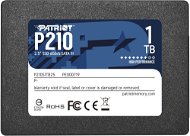
Patriot P210 2TB
SSD 2,5", SATA III, QLC (Quad-Level Cell), theoretical lifespan 960TBW
219.90 €
In stock > 5 pcs
Order by midnight, get it at the AlzaBox in the morning.
Info
Order Code: DP826d5
 

PC configurator - SSD

PC configurator - SSD

Solid state drives (SSD) are a modern alternative to standard hard disk drives. Their main advantages include higher speeds, low power consumption and increased resistance to physical influences. Today, the SSD is being promoted as the main system drive because of its dramatic influence on the improved functionallity of both applications and operating system.


The main advantages of SSD Drives are speed, power consumption and reliability. SSDs simply start functioning faster due to the absence of moving parts, have a higher reading speed than conventional hard drives and have an incredibly low latency (ie. seek time), which is 100 times faster. This accelerates operation - to boot the operating system and run different applications. Their power consumption and heat production is low, as they have no mechanical parts. This also relates to much higher reliability in operation. The mechanical parts in hard drives tend to wear out, and even risk destroying the drive with strong vibrations and temperatures. This does not apply to SSD Drives, meaning they are particularly suitable for portable computers. An almost insignificant disadvantage does exist as there is a limited number of write cycles for the existing types of SDDs, allowing operation over an average period of 51 years.

Was this information useful?
This form is used only for evaluating the information in the description above.
If you have any question about our products, services, transport or any other request, please contact our customer support.
What should be improved? Is anything missing here? Is anything wrong? Share it with us.
P-DC1-WEB10