


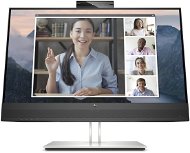
Reviews 23,8" HP E24m G4
Interested in reviews of 23,8" HP E24m G4? It got 5.0 out of 5 stars from our customers. Find specific customer reviews of 23,8" HP E24m G4 below. We will appreciate if you also share your experiences with 23,8" HP E24m G4 after purchasing.
User Reviews

Anonymous customer
Rated 20/04/2025, variant 23,8" HP E24m G4
Verified purchase
We were looking for a large monitor for senior parents (max. 24") with a native resolution that will be suitable for their eyesight, i.e. Full HD 1920x1080 resolution at more than 60 Hz. At the same time, we wanted it to have at least 300 nits brightness, a camera with a privacy cover, stereo microphones, a headphone output, and forward-facing speakers, i.e. integrated in the wider bottom bar, that would play nicely and not make a tinny or plastic sound. We also wanted the monitor to have an integrated 4-port USB-A HUB. Since we were also getting them a new laptop, we wanted the monitor to also support connectivity to that laptop via a single USB-C cable. The last equipment requirement was the ability to turn the monitor 90° to the left. In the end, we wanted at least a 3 year standard warranty with the possibility of extending it (but not a form of insurance). Of those monitors that met our requirements, we thoroughly tested a total of 4 models from three brands and we can say that the HP E24m was the best in all parameters. With the only exception being the sound quality, which was even slightly better on the HP M24m. The monitor comes with CarePack U0J13E, which extends the standard three-year manufacturer's warranty to a five-year warranty with next-business-day response - PRO INFO: This extended five-year warranty is implemented by way of an exchange, whereby a free, defect-free unit (not guaranteed to be new) arrives and you pack your defective unit in the packaging it arrived in and send it by courier to a designated service centre, with shipping to and from you to the service centre paid for by HP - your original monitor becomes the property of HP for this exchange, who will repair and prepare it for another customer's exchange. If you don't mind the few minor flaws mentioned above, we can definitely recommend this monitor for purchase.
24" FHD monitor with 1920x1080 resolution at 75Hz - the best choice for the elderly or visually impaired
HP Eye Ease technology to reduce harmful blue light
300 nits brightness and 5 ms GtG response time with Flicker Free technology
manufacturer's warranty 3 years
Three modern inputs HDMI 1.4, DisplayPort 1.2 and USB-C
DisplayPort output with DaisyChain support allows connection of an additional monitor
RJ45 connector for direct connection to a 10\100\1000 computer network
integrated USB-HUB with 4 USB-A 3. x ports (2 ports at the back and 2 ports at the bottom of the left side bezel, one of which is Always-On type allowing to power the connected device even when the monitor is switched off
PowerDelivery via USB-C up to 65 W allows connection to a laptop (requiring power max. 65W) with one USB-C cable
Nice sounding integrated speakers 2x 5 W located in the bottom bar are directed towards the user, which is a huge plus compared to the competition !
retractable module with integrated 5 MPix tilting infrared camera with Windows Hello support, illuminator and two stereo microphones with ambient noise cancellation
separate buttons for easy volume control (volume up, volume down, mute) and microphone mute directly on the bottom edge of the monitor (active mute and microphone mute mode is indicated by a non-distracting orange mini LED above the respective button)
a total of 9 control buttons that do not interfere with the design of the monitor's front bezel
Non-distracting mini LED indicator for power on (white) and stand-by mode (orange), which can be switched off completely in the menu if required
the monitor is equipped with a combined 3.5mm connector for headset (headphone/microphone) connection located at the bottom of the right side bezel
the monitor is height adjustable in the range of 150mm, allows rotation up to 45° both right and left, tilting from -5° to +23° and even PIVOT mode (rotation to both sides by 90°)
solid metal stand leg in silver colour serving also as a cable organizer and silver lacquered stand with metal base with table protection are not only aesthetic but also guarantee stable positioning on the table (rotation of the monitor up to 45° both right and left is realized between the leg and the stand)
USB-C to USB-C cable and standard computer power cable included (other cables, e.g. HDMI, DP or USB-C to USB-A not included).
the monitor does not have a cradle power switch (therefore the monitor cannot be simply cut off from the power supply by this switch and is therefore still powered by the mains by default, which is perhaps because it is equipped with one USB-A 3. x port with Always-On support allowing the connected device to be powered even when the monitor is switched off)
if the distance between the nicely playing integrated speakers in the bottom bar was much larger (there is only about 120mm) the final sound impression would be even better thanks to the added side effects
the monitor has a rectangular base and the 45° rotation to the right and left is between the support leg and the base, which means that if you need to regularly rotate the monitor 90° to the right (or left), it is possible, but you have to position the monitor that way, in the base position, the monitor will be turned completely to the left (or right) relative to the stand, and therefore in the base position the stand will be rotated 45° relative to the table, rather than straight, which aesthetic shortcoming may bother some people (the manufacturer should note that it is always better to equip the monitor with a circular stand and to solve the right-left rotation between the stand and the table's sliding protection)
due to the above design limitation, the monitor can only rotate left and right by 45° at any time; if the rectangular stand is rotated to one of the two extreme positions, it allows rotation up to 90° to the opposite position, so if you need to rotate the monitor by more than 90° (for example, for clients sitting opposite you), it is unusable for this purpose by default (of course, you can simply separate the leg with the stand from the monitor and place the monitor thanks to the support of the VESA interface on a suitable purchased stand that allows such rotation, but that's another story).
0 ×Report
Automatic translation
