



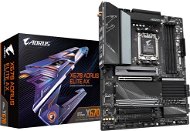
Reviews GIGABYTE X670 AORUS ELITE AX
Interested in reviews of GIGABYTE X670 AORUS ELITE AX? It got 4.2 out of 5 stars from our customers. Find specific customer reviews of GIGABYTE X670 AORUS ELITE AX below. We will appreciate if you also share your experiences with GIGABYTE X670 AORUS ELITE AX after purchasing.
User Reviews

Jakub, Praha 4
Rated 24/09/2024, variant GIGABYTE X670 AORUS ELITE AX
Verified purchase
I bought the board on 04/2023 when switching to the AM5 platform, the board looked like a reasonable move, again I got duped with Gigabyte. See. review points. Simply, hands off Gigabyte. I had problems with this brand already with AM4ky, over time they fixed the problems with a new BIOS, meanwhile ASUS on the other PC without a problem, same build. But the Aorus Elite intrigued me, so I tried it, not going back. As a final lesson, when the manufacturer itself has to make a thread on Reddit to update the BIOS and communicate with users "X670 BETA BIOS THREAD", to which they stopped updating it after a few weeks (the last version is F6b), today the BIOS version is already 30+ (currently F32b). something's really wrong. And the biggest notch on the imaginary armor for me, as a man of the industry, is the fact that Gigabyte releases experimental BIOS, eg. F7a, then F7b, etc. except for F7f and then it does purely F7 (final) and tests on users whether OK or Not-OK, sometimes it even downloads the BIOS from the site, then returns it after a few modifications without a single information what they modified. but nothing happens, it just cooks the board and its components.
The first ca. 6 months without any problems except for a few small things, such as the need to upgrade the BIOS if the user wants to use the PC to the fullest (e.g. GPU) .
Not quite dead yet? I don't know if that's really a positive point.
BOISs are a lottery, they can even cook the comp, I only had to do a downgrade once, I think F8c?, luckily only once. and I point out, upgrades are necessary to fix problems Gigabyte itself causes. I, for example. started on F3, instead of F4 it was supposed to be the so-called. "Initial BIOS".
Blue deaths are already such an evergreen (it seems that the motherboard just can't work with the RAM recommended by Gigabyte)
Either the PC goes into "I'm beige at 2 FPS" mode and then it goes away, or the whole thing bites, incl. audio, video, everything. hard reset required. And bonus, it can be both under load and when zevlovat on the desktop without applications (for DIY tech. Alza support, no, it's not Windows, it does it even with a completely new installation after formatting the disk)
The network probably has a consciousness of its own and sometimes a bad mood
There is more, but the above few so-called. of the shoot, I think it's enough to preview the product. do not take
0 ×Report
Automatic translation

Jan, Kostelec u Jihlavy
Rated 20/07/2024, variant GIGABYTE X670 AORUS ELITE AX
Verified purchase
I do not recommend Gigabyte, I will never buy anything from them again. Search " X670E Aorus issues" on reddit and you' ll find a thread where dozens of people have the same problems I described (whether it' s the Aorus Elite AX or the more expensive Master). This motherboard is DEFECTIVE and Gigabyte refuses to acknowledge the error - people return it 3 times, sometimes they replace the entire board, but after a few months the same problems occur. All their BIOSes are faulty, unstable - with the F13 version, it happened to people that it destroyed their entire board. Hands off Gigabyte.
Advanced features
M2 Gen5 ssd slot
After half a year, the network card and wifi card started to fall out
With more than 2 m2 ssd installed, the ethernet drivers fall out, the network simply disappears and I had to buy an external one
CRAZY AUDIO! After about 8 months, the audio started cracking, unbearable, unusable. Audio jams. I had to buy an external audio card.
The USB ports are regularly overloaded, even though I have 5 of them plugged in (there are about 13 of them). USB devices are being disconnected.
Regularly hangs on boot, needs to be restarted (expo related, RAM is being trained - should take a few minutes, but sometimes it just hangs in a loop)
0 ×Report
Automatic translation

Matěj, Pocinovice
Rated 12/01/2024, variant GIGABYTE X670 AORUS ELITE AX
Verified purchase - review from a price comparison website
I've only had the board for 5 days so far, and in that time it has proven itself for my purposes. Since uploading the new bios there have been no random BSODs nor are the voltages too high as was the problem with ASUS. The board has very comprehensive settings options in the BIOS, although I don't understand half of them yet. The BIOS layout itself could be better (for example, Gigabyte Utilities bloatware is enabled by default and hidden in the IO settings section. Why?! But you can get the hang of it after a while.
Really a lot of IO on the board
Good VRM
4 M.2 ports is more than I could ever ask for
The reset and start buttons and clearCMOS on the board are very useful for first test and debugging in case of problems or upgrades. But you can do the same by plugging the switch into the headers or temporarily connecting it to the case.
Integrated IO shield is a welcome bonus
Two 8-pin EPS connectors may be overkill, but better than having one melt.
In the bios, the Gigabyte utilities installer is set as the base, which I take as bloatware of the worst type
It doesn't have a 7-segment debug display, which at this price range it could be if the manufacturers weren't idiots
Only 3 Fan headers, so splitters must be used and cable management can be more complicated. Each header handles 1A so at least there won't be a power problem if you don't plug the whole case into one.
The chipset overheats a bit (50° Idle and about 60-70 under load) but this can be solved with a different timing or by adding fan speed
At first it threw random crashes, but this is solved by loading a new BIOS, which is very easy thanks to Q-flash
It is difficult to remove the GPU once the board is in the case and the CPU cooler is installed. I had to use a long wooden stick to get to the lever. Thank God she's planted sideways.
You can forget about taking out the M.2 with graphics installed, the 3 slot 7800xt covers all 4 slots.
0 ×Report
Automatic translation

Marek, Praha 5 - Zličín
Rated 31/07/2023, variant GIGABYTE X670 AORUS ELITE AX
Verified purchase
Gigabyte never again. Bought with the desire to have another machine that I don't plan to overclock and just have it as a fully stable PC. Every month something doesn't work.
4x M2 PCIe slots
Cooler for all M2 slots
Plenty of USB-A ports
WiFi (bonus if you don't want to pull the cable)
Impossible to reboot - must be turned off/on otherwise the DRAM error LED ends. Manufacturer-supported and verified RAM
Inability to maintain RGB configuration - if you just want white light, you have to dig through rainbow mode and then manually adjust each time you start up
Random USB-C power shutdown
12x updated BIOS and still nothing fixed
WiFi module is only started after complete disconnection of power supply - turn off the power supply and hold power on
0 ×Report
Automatic translation
Bořek, Praha 5
Rated 19/06/2023, variant GIGABYTE X670 AORUS ELITE AX
Verified purchase - review from a price comparison website
integrated wifi
integrated bluetooth
M.2 slots
Huge number of high quality USB ports
0 ×Report
Automatic translation

Richard, Praha - Ruzyně
Rated 07/02/2023, variant GIGABYTE X670 AORUS ELITE AX
Verified purchase
The board also has quite an interesting layout of PCIe lanes - only the top M.2 slot has PCIe 5.0, everything else is on 4.0 or 3.0. See manual.
Quality board: )
Lots of USB ports, compared to my previous one it really is heaven: D
Four M.2 NVMe slots
WiFi card with Bluetooth. Pleasantly surprised by the performance of the BT antenna, my wireless headphones now work anywhere in the flat: D
Only 4 SYSFAN connectors on the board
None of the M.2 slots on the board can handle M.2 SATA. If you are migrating like me from a SATA SSD, I recommend buying an adapter.
0 ×Report
Automatic translation
Anonymous customer
Rated 29/01/2023, variant GIGABYTE X670 AORUS ELITE AX
Verified purchase
Gigabyte Aorus is totally overkill
Usability features make it much easier to create.
The subtle and minimalist design looks great.
Plenty of high-speed rear IO and there are plenty of connectors on the motherboard as well.
It includes a PCI-E 5.0 M.2 slot, which will be useful in the near future.
The totally excessive VRM power supply is almost similar to that found on threadripper boards.
q flash plus, Clear CMOS button, plus power and reset button on the motherboard itself.
Lack of PCI-E 5.0 support. (Which doesn't really matter, because there are graphics cards without PCI-E 5.0. )
However, it is still quite expensive.
The Gigabyte Aorus interface is terrible
0 ×Report
Automatic translation
