



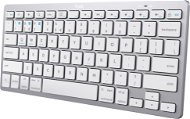
Reviews TRUST BASICS Bluetooth Keyboard - US
Interested in reviews of TRUST BASICS Bluetooth Keyboard - US? It got 3.9 out of 5 stars from our customers. Find specific customer reviews of TRUST BASICS Bluetooth Keyboard - US below. We will appreciate if you also share your experiences with TRUST BASICS Bluetooth Keyboard - US after purchasing.
User Reviews

Adéla, Nečín
Rated 02/07/2024, variant TRUST BASICS Bluetooth Keyboard - US
Verified purchase
Satisfaction ☺️
0 ×Report
Automatic translation

Petr, Holasice
Rated 16/05/2024, variant TRUST BASICS Bluetooth Keyboard - US
Verified purchase
price
compared to the classic apple keyboard, the quality is really significantly lower, the feeling when typing is strange (probably more rubbery springs)
0 ×Report
Automatic translation
Company
Rated 21/03/2024, variant TRUST BASICS Bluetooth Keyboard - US
Verified purchase
Fast pairing and classic design. Possibility to switch between systems
Frequent disconnection / need to wake up
Noisy keys
0 ×Report
Automatic translation
Kryštof, Praha 10
Rated 31/01/2024, variant TRUST BASICS Bluetooth Keyboard - US
Verified purchase
cheap
Wireless
the battery lasts a long time
Absolutely impossible to stack the buttons with the shortcut.
ESC opens the internet browser. only with Fn it's EDC
very bad meme-gate switches
really just the bare minimum for TV
0 ×Report
Automatic translation
Anonymous customer
Rated 30/01/2024, variant TRUST BASICS Bluetooth Keyboard - US
Verified purchase
Good size
Connects easily
Slightly loud
0 ×Report
Automatic translation

Viktor, Brno
Rated 22/12/2023, variant TRUST BASICS Bluetooth Keyboard - US
Verified purchase
wonderful keyboard small
beautiful appearance and light and quiet
I was looking for what I was looking for
the arrow keys are used well when controlling a PC game
connection to mobile phone also great
none
0 ×Report
Automatic translation

Václav, Praha 9 - Střížkov
Rated 15/01/2026, variant Trust BASICS Bluetooth Keyboard CZ/SK White-Silver - bílá/stříbrná
Verified purchase
I bought the keyboard because I needed something that would work on both Windows and macOS. The more I use this keyboard, the more it annoys me. What idiot thought of putting Escape and Delete under the Fn key when the default operations are opening the browser home page and logging out? Why does the logout also send the Win+L shortcut, so that it can't be easily changed even with external programs, because Windows doesn't allow it, it's a special shortcut for it? Why are F1 to F12 only under Fn without the possibility to change it? Why is Alt and AltGr on option and not on command as it is by default? Why is the Windows button on command and not on option as it is by default? Why is there no software for the keyboard that can be used to remap the aforementioned anomalies? Why doesn't the keyboard have Fn-lock? Yes, the keyboard is cheap, but if you just don't read emails and want to do something with it, it's pretty useless.
Cheap
Compatible with both Windows and macOS
You have to press Fn for Escape
Default for Esc key (without Fn) is Open browser home page
For Delete you have to press Fn
Default for Delete key (without Fn) is logout
F1 to F12 only under Fn
Alt and AltGr mapped to mac option instead of command
Windows button mapped to mac command instead of option
Key behaviour cannot be changed
Cannot swap between keys with and without Fn (no Fn-lock)
Absence of any software
0 ×Report
Automatic translation

Michal, Hlavní město Praha Háje
Rated 22/08/2025, variant Trust BASICS Bluetooth Keyboard CZ/SK White-Silver - bílá/stříbrná
Verified purchase
Fully functional, satisfactory. Just the Esc with the need to press the function key, like Delete, you just can't make it up.
0 ×Report
Automatic translation

Václav, Praha 3
Rated 09/07/2025, variant Trust BASICS Bluetooth Keyboard CZ/SK White-Silver - bílá/stříbrná
Verified purchase
The keyboard is sufficient for occasional typing of addresses and basic control. However, when typing for longer periods of time, the sagging design and imprecise keypath reduce comfort. It's a logical compromise for a very low price, not a product defect.
Price
It works
Keypath stability
Bends when writing - plastic
Uncomfortable feeling when typing
0 ×Report
Automatic translation

Jiří, Kvasice
Rated 23/03/2025, variant Trust BASICS Bluetooth Keyboard CZ/SK White-Silver - bílá/stříbrná
Verified purchase - review from a price comparison website
A little smaller, but it doesn't affect the function. It is powered by the supplied batteries.
0 ×Report
Automatic translation
