



Tenda AC19 Dual Band AC2100 Router Gigabit, USB

Don't like the alternatives? Choose from the full product list


- Reviews 6
- Help and manuals
- Specifications
- Photos & Videos 5
- Alternatives 7
- Accessories and suggested products

Tenda AC19 Dual Band AC2100 Router Gigabit, USB
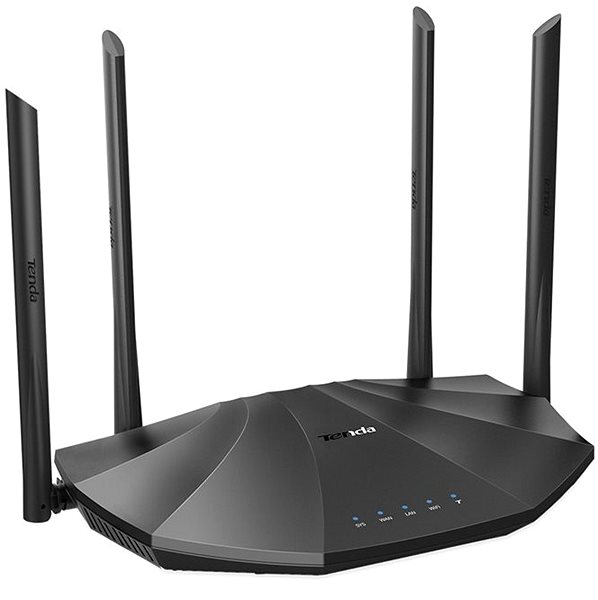
Need to share your Internet connection using a WiFi router? The Tenda AC19 Dual Band AC2100 Router Gigabit, USB delivers uncompromising internet connection quality. It uses 802,11a, 802,11b, 802,11g, 802,11n and 802,11ac standards and Dual-band frequency., i.e. it's a dual-band router. For better reception, the device is equipped with 4 external antennas. Altogether, the router's antenna gain is 6dBi. The practical DHCP features of this router include Server, DHCP Client List, Address Reservation and DynDNS. The WiFi bandwidth speed reaches 2100 Mb/s.
Tenda AC19 Dual Band AC2100 Router Gigabit, USB WiFi Router Key Features
- The router's minimalistic design highlighted by the colour scheme makes it a good fit for any household
- Supports the following standards: 802,11a, 802,11b, 802,11g, 802,11n and 802,11ac
- Bandwidth speed up to 2100 Mb/s
- Improved network security thanks to data encryption
- Fast and easy router installation
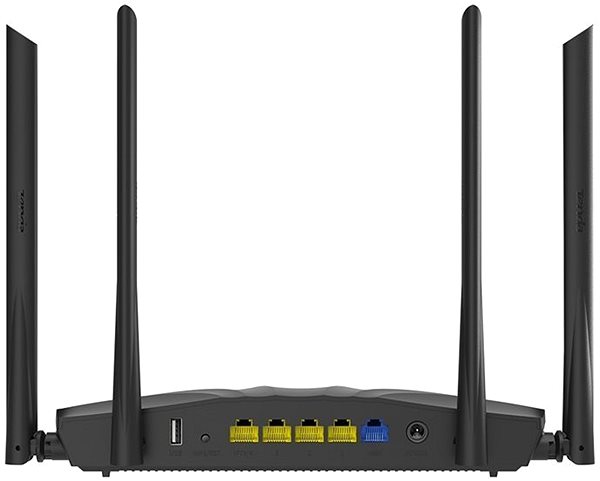
- The device is equipped with a USB 2.0 connector
- WiFi Router supports IPv6 protocol
- Maximum number of SSIDs: 4 ×
- Number of external antennas: 4
- Tenda AC19 Dual Band AC2100 Router Gigabit, USB router antenna gain: 6 dBi
Secure Connection with the Tenda AC19 Dual Band AC2100 Router Gigabit, USB Router
The Tenda AC19 Dual Band AC2100 Router Gigabit, USB WiFi router encrypts your data to safeguard your privacy. The device features several different types of encryption: WPS, WPA, WPA2, WPA-PSK and WPA2-PSK. Now you can browse the web, watch videos, or play games and know that the security of your connection is guaranteed.
Simple Installation with the Tenda AC19 Dual Band AC2100 Router Gigabit, USB Router
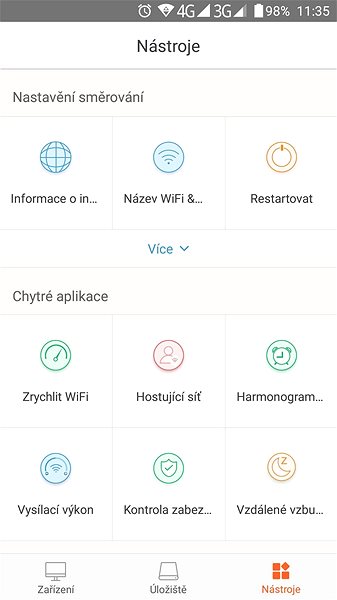
The router setup is so easy even a beginner can do it. Before you start, please read the included setup guide. Then you just need to connect the cables and in some cases enter the info given to you by your service provider. Another great feature is the WPS button, that lets you easily connect your devices to the router. The WPS button allows you to connect to the router without entering the password.

Tenda AC19 Dual Band AC2100 Router Gigabit, USB: When WiFi Isn't Enough, Cable Will Do
You can use the USB connector to connect the Tenda router to other peripheral devices, such as a hard drive or a printer.
Specifications
Standards and frequency
Speed
Security
Antenna features
Advanced parameters
Dimensions and weight

INTELEK LTD, organizační složka, Ericha Roučky 1291/4, Brno, 627 00, Czech Republic, www.intelek.cz, 533 338 858, [email protected]
INTELEK LTD, organizační složka, Ericha Roučky 1291/4, Brno, 627 00, Česká Republika, [email protected], +420 533 338 888, www.tenda.cz
Specifications can be changed without notice. Images are for illustrative purposes only.
