



Ich bearbeite Fotos mit Luminar Neo. Ist möglich dieses auch mit dem Wacom12 zu nutzen?

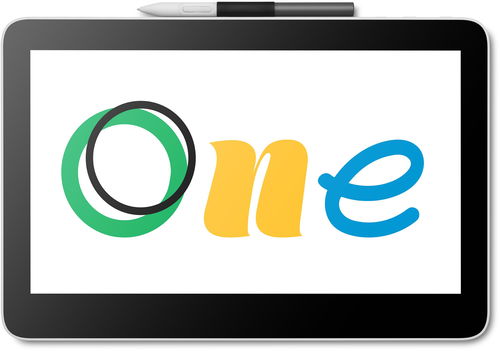

Get the versatile Wacom One 13 Touch Pen Display graphics tablet and bring your creativity into the digital world. You can easily connect the tablet to your device with a single cable or wirelessly via Bluetooth. Users will be delighted by its Plug & Play support (not applicable to Mac OS), so you can start using the tablet right away. The graphics tablet has a 13.31-inch Full HD IPS display with an anti-glare finish, wide viewing angles and a colour gamut of 99% sRGB. You can also control all functions with your fingers (multi-touch support for up to 10 fingers). Thanks to UD pen technology, you can use any compatible third-party pen with the tablet, but the original Wacom One Standard pen is included. It offers 4096 pressure levels, 60° tilt recognition and a resolution of 2540 LPI. The Wacom One 13 Touch Pen Display graphics tablet is compatible with Windows, Mac, Android and Chrome OS.

Wacom's goal was to create a graphics tablet that would make your transition to digital creation as easy as possible. That's why the Wacom One 13 Touch Pen Display can be easily connected via a single cable or wirelessly via Bluetooth. All the necessary drivers are automatically installed (not applicable to Mac OS), so you can enjoy a true Plug & Play experience. The included pen can be used just as you're used to writing or drawing on paper or canvas. For your convenience, you can use the Wacom Adventure programme, which includes a range of videos, free software trial packages and other exclusive benefits.

The Wacom One graphics tablet has a 13.31-inch anti-glare display with Full HD resolution. It boasts 99% sRGB colour space coverage (CIE1931), which makes drawing, designing and graphics work in general a real pleasure.

In addition to the One 13 Touch Pen Display graphics tablet, a Wacom One Standard pen is also included. This pen is not tied down by cables or batteries, so you can get creative right away. The Wacom One Standard has been designed to mimic the experience of using a regular pen on paper. The pen is pressure-sensitive and also recognises tilt. Plus, you can take advantage of two programmable buttons that give you quick and easy access to keyboard shortcuts to streamline your workflow.

The 13.31-inch screen allows for multi-touch gestures using up to ten fingers at once. This makes it easy to use common functions like dragging, zooming and selecting. The touch control of the Wacom 13 Touch Pen Display is not only a user-friendly option for newcomers, but also for professionals looking to improve their existing workflows.

After purchasing your graphics tablet, you can register it in the Wacom Center and then download free software, set up your tablet, pen and many other features. All this will be available for Windows, Mac OS and Android. For the Android system, there is a special application in the Google Play Store.

Get the most out of your Wacom One 13 Touch Pen Display graphics tablet by connecting it to your Windows, Mac, Chromebook or Android device. You can use your favourite applications without any problems, or discover creative and educational software that you can download for free after registration. Creation is made easy with the graphics tablet thanks to the Plug & Play function (not applicable to Mac OS). You can connect your devices via a USB cable or Bluetooth.


Log in or create your Wacom ID with your personal details and register your Wacom One tablet. You'll get access to a wide range of free software.
Clip Studio Paint Pro – software suitable for illustration, painting, manga and comics
Magma – a professional drawing and painting tool that works directly in your browser
Affinity Photo 2 – image and photo editing for beginners and professionals
Affinity Designer 2 – versatile vector software for creating logos, concepts and UI
Affinity Publisher 2 – create layouts for digital and print publications
Bluescape – an application for navigating, annotating and sketching with a Wacom pen
Skillshare – an online learning community with thousands of courses
Foxit – tools for creating, editing and sharing PDF documents
Wacom Notes – convert your notes to digital form
Bamboo Paper – a digital notepad for notes and diagrams
Limnu – an online whiteboard for collaborative drawing
Explain Everything – share ideas and collaborate on projects
Collaboard – real-time collaboration on a whiteboard
Pear Deck – create and run interactive presentations
Kami – turn documents into an interactive canvas for work and learning
Package contents:
Wacom One 13 touch pen display graphics tablet, battery-free wireless pen, USB-C cable, quick start guide, spare nibs, nib removal tool
Technical specifications:
Screen size: 13.3" / 33.8cm
Display resolution: 1920 × 1080 pixels
Surface: parallax-free, anti-glare and with an anti-fingerprint coating
Pen technology: electromagnetic resonance (EMR), compatible with third-party pens (LAMY, Staedtler)
Pen type: tilt- and pressure-sensitive, wireless, battery-free
Number of buttons: 2× (customisable)
Multi-Touch control: yes
Ports: 2× USB-C (USB hub function)
Note: USB-C requires a port with DisplayPort Alt Mode or Thunderbolt 3 (or newer) support
Dimensions (L × W × H): 336 × 222 × 12 mm (13.3")

WACOM Europe GmbH, WACOM Europe GmbH, Zollhof 11-15; 402 21 Düsseldorf; Germany, [email protected]
Specifications can be changed without notice. Images are for illustrative purposes only.
