Try our cookies Alza.cz a. s., Company identification number 27082440, use cookies and other data to ensure the proper functioning of the website and, with your consent, also, among other things, to personalize advertising and the content of our websites. By clicking on the “I understand“ button, you agree to the use of cookies and the transfer of data regarding the behavior on the website for displaying targeted advertising on social networks and advertising networks on other websites.
Alzak icon
Catalogue
Price
-
Availability
Order status
Standards
(384)
(360)
(274)
(266)
(243)
WiFi type
(123)
(4)
(161)
(99)
(60)
Features
(322)
(231)
(221)
(151)
(140)
WiFi transmission speed
100 Mb/s
28,544 Mb/s
-
Type
(76)
(300)
(57)
(3)

WiFi Routers & Access Points

Choosing the right wireless router depends primarily on its required speed and the type of data transfers that you want it to do. The maximum speeds are determined by the router's transmission standards which use two different frequency bands. These are common for both routers and end devices such as mobile phones. The less congested 5 GHz band is better for intense data transmissions and high-volume data transfers that are needed for online gaming or streaming video in HD quality. For simpler tasks, such as sending e-mail or web browsing, the 2.4 GHz band is fully sufficient. And what are the differences between the standards?

Continue


Differences between wireless routers standards - 802.11n and 802.11ac

802.11n

  • The 802.11n standard operates at 2.4 GHz, with the usual bit rate of the device at 300 Mbit / s.

  • The operating speed and signal range of 802.11n are several times higher than those of older devices according to 802.11g.

  • Some routers have a USB port which enables connecting an external printer or an external drive. Those devices can then be shared over a local network.

802.11ac

  • The latest 802.11ac standard uses two bands, namely 2.4 GHz and 5 GHz.

  • The 5 GHz band offers a greater number of channels and is less congested than 2.4 GHz, therefore the interferences are low. The support for the 2.4 GHz band ensures backward compatibility with older devices that use the standards 802.11b / g / n.

  • The less congested 5 GHz band is better for intense data transmissions and high-volume data transfers that are needed for online gaming or streaming video in HD quality. For simpler tasks, such as sending e-mail or web browsing, the 2.4 GHz band is fully sufficient.

  • Basic 802.11ac mid-range routers offer a combined speed of up to 1.2 Gbit / s, whereas the top-of-the-line models can achieve incredible speeds of up to 3 Gbit / s.

  • Using omnidirectional antennas with high performance signal amplifiers and beamforming technologies will significantly increase your signal strenght.

  • Powerful encryption standards (WPA-PSK / WPA2-PSK) provide a high level of security.

Most devices enable sharing a connected printer or an external drive over your network. The difference may be whether the router already supports the faster USB 3.0 or works only with the older USB 2.0 standard.

Hide description
Was this information useful?
This form is used only for evaluating the information in the description above.
If you have any question about our products, services, transport or any other request, please contact our customer support.
What should be improved? Is anything missing here? Is anything wrong? Share it with us.
466 Results
Aruba AP-615 (RW) Dual-radio Tri-band 2x2:2 802.11ax Wi-Fi 6E Internal Antennas Campus AP - WiFi Access Point Free delivery
Alzaboxes and stores
Watch Price/Availability
Aruba AP-615 (RW) Dual-radio Tri-band 2x2:2 802.11ax Wi-Fi 6E Internal Antennas Campus AP
WiFi Access Point and WiFi 6E, 802.11and/b/g/n/ac/ax up to 3600 Mb/s, Tri-band (2,4 GHz 574 Mb/s + 5 GHz 1200 Mb/s ), WPA2 and WPA3
  1,019 €
Currently Unavailable
Order Code: Aruba23_049
5.0
Watch Price/Availability
HPE Aruba Instant On AP25 with 12V/18W Power Adaptor (EU) Bundle
WiFi Access Point and WiFi 6, 802.11/n/ac/ax up to 5374 Mb/s, Dual-band (2,4 GHz 574 Mb/s + 5 GHz 4800 Mb/s ), WPA2, WPA2-Enterprise and WPA3, IPv6 Ready and LED control (night mode)
  233.90 €
Currently Unavailable
Order Code: Aruba23_005
Watch Price/Availability
CISCO CBW145AC 802.11ac 2x2 Wave 2 Access Point Wall Plate
WiFi Access Point and WiFi 5, 802.11and/b/g/n/ac, up to 867 Mb/s, Dual-band (2,4 GHz 300 Mb/s + 5 GHz 6936 Mb/s ), WPA2 and WPA3
  133.90 €
Currently Unavailable
Order Code: Cisco23_016
Ubiquiti Unifi UAP-nanoHD (5-pack) - WiFi Access Point Free delivery
Alzaboxes and stores
Watch Price/Availability
Ubiquiti Unifi UAP-nanoHD (5-pack)
WiFi Access Point and WiFi 5, 802.11and/b/g/n/ac, (2,4 GHz 300 Mb/s + 5 GHz 1733 Mb/s ), WPS, WPA2, WPA-PSK and WPA-Enterprise
  858.90 €
Currently Unavailable
Order Code: Ubiq23_005
Watch Price/Availability
D-Link DAP-3666
Outdoor WiFi Access Point Outdoor WiFi Access Point with WiFi 5, 802.11a/b/g/n/ac Wave 2, up to 1200 Mbps, Dual-band, MU-MIMO, WEP 64bit, WEP 128bit, WPA, WPA2, WPA-Enterprise and WPA2-Enterprise, 2x Gigabit LAN ((LAN 1 supports passive PoE), IP68 protection
  404.90 €
Currently Unavailable
Order Code: Dlink23_12
Watch Price/Availability
D-Link DAP-2662
WiFi Access Point and WiFi 5, 802.11and/b/g/n/ac, up to 1167 Mb/s, Dual-band (2,4 GHz 300 Mb/s + 5 GHz 867 Mb/s ), WEP 64bit, WEP 128bit, WPA-PSK, WPA2-PSK, WPA-Enterprise and WPA2-Enterprise, IPv6 Ready and Access via cloud
  205.90 €
Currently Unavailable
Order Code: Dlink23_08
Watch Price/Availability
D-Link DAP-X2850
WiFi Access Point and WiFi 6, 802.11and/b/g/n/ac/ax up to 3548 Mb/s, Dual-band (2,4 GHz 1148 Mb/s + 5 GHz 2400 Mb/s ), WPA, WPA2 and WPA3, IPv6 Ready, Access via cloud and Mobile app control
  408.90 €
Currently Unavailable
Order Code: Dlink22_08
4.2 32×
Watch Price/Availability
Mercusys MR50G
WiFi Router - WiFi 5, standard 802.11s/b/g/n/ac, maximum Wi-Fi speed 1900 Mb/s, dual-band (2.4 GHz 600 Mb/s + 5 GHz 1300 Mb/s ), 1× WAN, 2× LAN, IPv6 Ready and EasyMesh compatibility, WPA-PSK and WPA2-PSK, 6× external antenna, maximum number of SSIDs: 2×
  36.90 €
Currently Unavailable
Order Code: mercsss001
Watch Price/Availability
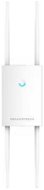
Grandstream GWN7630LR
Outdoor WiFi Access Point and WiFi 5, 802.11and/b/g/n/ac,, Dual-band, 2 × GLAN, 4 piece(s) × external antenna, WEP 128bit, WPA-PSK, WPA2-PSK, WPA-Enterprise and WPA2-Enterprise, Gigabit LAN, PoE (Power over Ethernet), QoS (Quality of Service), IPv6 Ready, MU-MIMO, VPN and Wi-Fi Mesh
  147.40 €
Currently Unavailable
Order Code: GRST02020_007
Watch Price/Availability
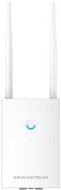
Grandstream GWN7605LR
Outdoor WiFi Access Point and WiFi 5, 802.11and/b/g/n/ac,, Dual-band, 2 × GLAN, 2 piece(s) × external antenna, WEP 128bit, WPA-PSK, WPA2-PSK, WPA-Enterprise and WPA2-Enterprise, Gigabit LAN, PoE (Power over Ethernet), QoS (Quality of Service), IPv6 Ready, MU-MIMO, VPN and Wi-Fi Mesh
  150.37 €
Currently Unavailable
Order Code: GRST02020_004

WiFi Routers & Access Points - additional info

Active element in a wireless WiFi network represents a device that acts as an access point (AP) or router. These devices offer facilities that connect a computer, multiple computers or other network devices (clients), and are responsible for subsequent communication and connection to wireless networks. They can also be used to create a wireless network. Active devices are most commonly used to create wireless home or office networks, where the computer (client) connects wirelessly, while the active element is connected to a cable Internet connection (eg. ADSL, cable internet) for sharing Internet access. Active elements can simply be used to wirelessly connect two computers without a line of sight. Line of sight is in fact ideal for establishing a wireless connection between two points.


Routers and access points were originally two different kinds of devices, however, today's AP function handles both. Although routing technically runs on a different principle in the majority of the AP devices (the NAT table is used for connecting clients and then the external network appears as one IP address of the access point), but it has no effect on the fact that it practically functiona as a router. For more demanding applications where it is necessary to connect two computer networks (eg distribution of wireless Internet access in the context of a large WiFi network or internet) it is appropriate to use a classical router (routerboard or MikroTik are ideal for this application - or a separate computer equipped with the necessary components and software).

When selecting a new AP, focus mainly on the key parameters, which include support for newer versions of standard 802.11 wireless communications and the related frequency at which WiFi access point works (2.4GHz or 5GHz), its function (AP or client - access point in AP mode only transmits, while to connect your PC or notebook to a wireless network, you need a client function) and sufficient security. The standard WPA (WiFi Protected Access) and WPA2 will take care of it (older WEP encryption is easily cracked). This standard is also in AP with built-in DHCP server functionality.

Was this information useful?
This form is used only for evaluating the information in the description above.
If you have any question about our products, services, transport or any other request, please contact our customer support.
What should be improved? Is anything missing here? Is anything wrong? Share it with us.
Check out products sorted by price starting with the lowest price in the category cheap wiFi Routers & Access Points Find products sorted from the most expensive to the cheapest in the category most expensive wiFi Routers & Access Points Check out products sorted by price starting with the highest price in the category best sellers, best wiFi Routers & Access Points You’ll find products sorted by reviews starting from the highest ranked in wiFi Routers & Access Points reviews
P-DC1-WEB20

Einkaufen im Handumdrehen Bequemes Einkaufen mit der Alza-App, wo auch immer du bist! More info »