



27" ViewSonic VG2748A-2K

- Help and manuals
- Specifications
- Photos & Videos 10
- Alternatives 8
- Accessories and suggested products

27" ViewSonic VG2748A-2K
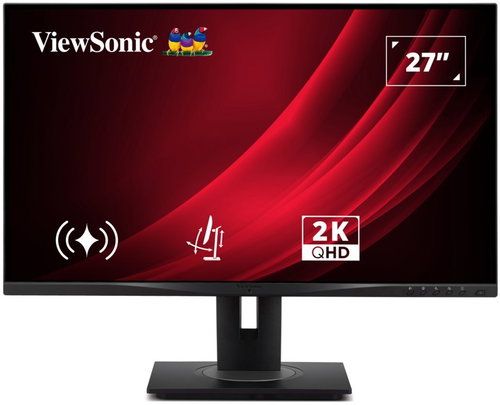
This 27" ViewSonic LCD monitor handles work in Quad HD (2560 × 1440) resolution. Its IPS panel has excellent colour reproduction, lower contrast, and the image remains just as good even when the viewing angle is changed. With an IPS panel, there is also a minimal risk of burn-in, so it will serve you for a long time. It works with 8-bit colour depth, which is a common range for most display devices. You can use all of this not only when creating a logo or a banner, but also, for example, when editing videos. The matte surface of the display minimises reflections from light in the room and helps to block light from the window. Thanks to the standard 16:9 aspect ratio, you will be able to open, for example, a text brief with a graphics editor side by side and work with them effectively. The maximum brightness of 350 cd/m² is a good choice for working out of direct sunlight and is also suitable for spaces that are not too brightly lit. It can be mounted using a VESA 100×100 mount on a wall or stand. This way, you can easily install multiple monitors in your office.
Key Features of the 27" ViewSonic VG2748A-2K Monitor
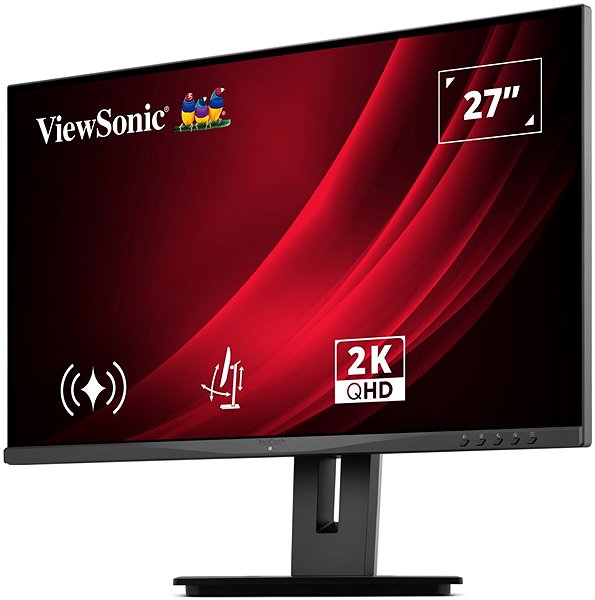
- Work efficiently with this 27" ViewSonic LCD monitor with Quad HD (2560 × 1440) resolution
- It uses an IPS panel with a refresh rate of up to 100Hz and a response time of 5ms to display colours
- The matte finish of the display eliminates glare and reduces eye fatigue
- The standard 16:9 aspect ratio provides you with a precise image output
- Its 8-bit colour depth covers the needs of working with JPEG images
- The maximum brightness of 350 cd/m² is designed for working out of direct sunlight and in less lit rooms
- Flat monitor design
The ViewSonic Monitor Boasts Interesting Properties and Functions
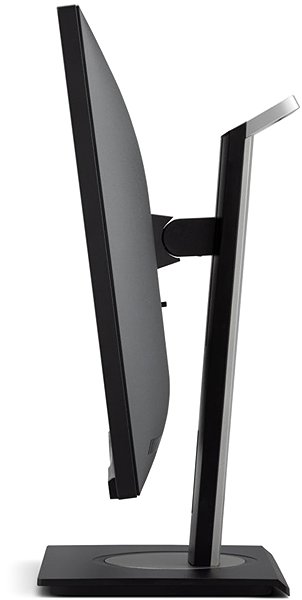
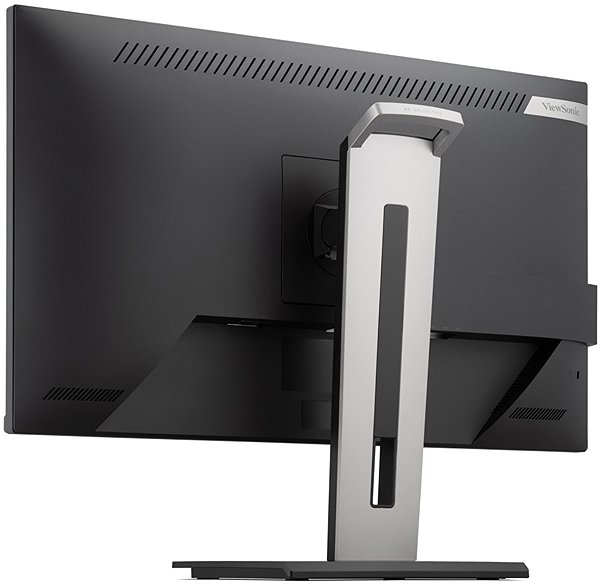
The 27" IPS PC monitor has a flat design, which is ideal if you plan to use multiple monitors simultaneously. It is equipped with a filter that lets through a smaller amount of harmful blue light and a Flicker-Free function that reduces the monitor's flicker frequency. This can contribute to reducing eye fatigue and improving sleep quality. Among the great features is the Power Delivery fast charging function via USB-C, which allows you to charge your tablet, wireless headphones, smartwatch, or other small electronics with up to 33W of power. Power Delivery also provides safety by ensuring the device only receives the necessary amount of electrical energy and does not overcharge. You can tilt and adjust the monitor to any height so that its top side corresponds to eye level, helping to maintain correct posture, which minimises strain on the cervical spine and reduces the risk of scoliosis. The tilting option is practical for those who prefer to work standing up. Thanks to the Pivot function, the monitor can be rotated by 90°, which will be appreciated by traders, programmers, and data analysts working with a spreadsheet editor.
You'll Certainly Appreciate the Features of the ViewSonic Monitor
To connect the monitor to a computer or laptop, you can use HDMI and DisplayPort. If your computer doesn't have a suitable connector, you can expand connectivity by purchasing a compatible port replicator. A port replicator is also useful when connecting two monitors. The screen is equipped with a USB-B port that allows you to connect a printer. Built-in speakers provide a convenient solution for sound and image in one device. Physical protection against theft is provided by a Kensington Lock, which uses a steel cable with a locking option. In addition to the monitor itself, the package also includes a DisplayPort and a power cable.
Choose a Monitor Based on Native Contrast and Colour Gamut
The ViewSonic monitor provides a native contrast of 1300:1. The native contrast ratio of a monitor is an indicator of the difference between the brightest and darkest displayable point. If a monitor has a contrast ratio of 3000:1, it means that the brightest point (white) is 3000× brighter than the darkest point (black). The sRGB colour gamut indicates what percentage of colours from this colour space the monitor can display. sRGB has the advantage of being a common colour space that is present on most monitors. The sRGB colour gamut of this monitor is 108%. It thus displays more colours than is usual for it. The colours have more shades, their reproduction is more attractive, and the content on the monitor will look better.
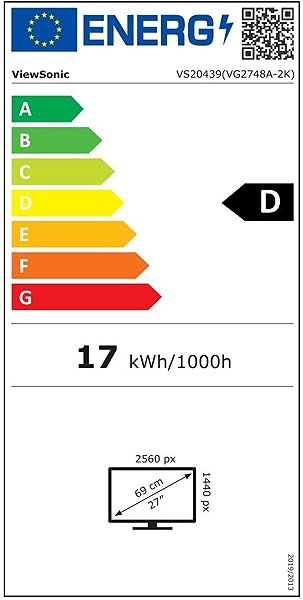
Information on the Monitor's Energy Label:
- The manufacturer and model of the monitor are listed in the header
- Scale of energy classes (left), specific energy class of the product (right)
- kWh/1000h: energy consumption in kilowatt-hours per 1000 hours of operation
- SDR kWh/1000h: energy consumption in SDR mode in kilowatt-hours per 1000 hours of operation
- Pixels: vertical and horizontal display resolution (2560 × 1440 px)
- Units in inches and centimetres: screen screen size
__________________________________________________________________
After scanning the QR code, you will be redirected to the European EPREL database, where the display type, the technology used in its production (e.g., LCD, QLED), and other monitor specifications will be displayed.

screen size:
27"
Colour gamut (sRGB):
108%
Graphics interface:
HDMI and DisplayPort
Graphics interface standards:
DisplayPort 1.2 and HDMI 2.0
Energy class in SDR mode:
D
Consumption in SDR mode:
17 kWh/1000h
Energy class in HDR mode:
No HDR
Stand-by consumption:
0.5W
Maximum consumption:
33W
Dimensions:
40.619 × 61.338 × 20.218 cm (H×W×D)
Weight:
4.8kg
Specifications
Display diagonal and resolution
Construction
Panel and screen technology
Aspect Ratio
Backlight and colour
Connection
Colour gamut
Features and functions
Colour
Dimensions and weight
Packaging
Power outlet type
Energy specifications
Specifications can be changed without notice. Images are for illustrative purposes only.
