



28.2" BenQ RD280UG


- Help and manuals
- Specifications
- Photos & Videos 11
- Alternatives 8
- Accessories and suggested products

28.2" BenQ RD280UG
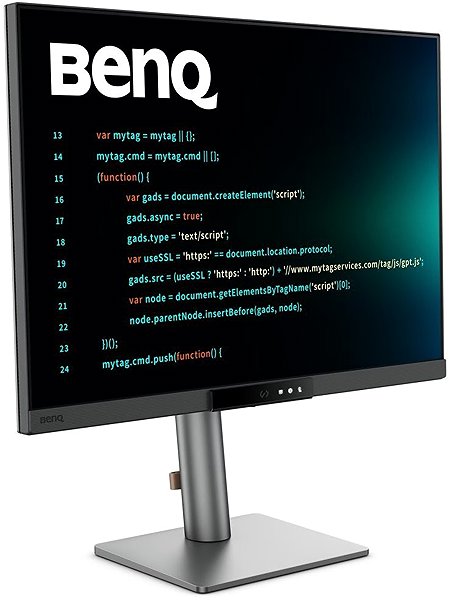
This 28.2" BenQ LCD monitor allows you to work in 4K (3840 × 2560) resolution, which offers detailed visuals, ideal for working with visually demanding content. 4K rendering is supported by computers with a suitable graphics card. With its IPS panel, you'll get excellent colour reproduction, lower contrast, and the picture quality will remain the same even if you change the viewing angle. Furthermore, an IPS panel has a minimal risk of burn-in, so it will last you a long time. It works with a 10-bit colour depth. HDR technology renders much more detail with realistic image depth and higher contrast, similar to what the human eye sees. All this will find its use not only when creating a logo and a banner, but also when colour grading photos and videos. Glare is minimised thanks to the anti-reflective surface of the display, which improves visibility in different light conditions. A maximum brightness of 350 cd/m² is a good choice for working out of direct sunlight and is also suitable for spaces that are not too brightly lit. It can be mounted on a wall or a stand using a VESA 100×100 mount. This makes it easy to install multiple monitors in your office.
Key Features of the 28.2" BenQ RD280UG Monitor
- Work efficiently with this 28.2" BenQ LCD monitor with 4K (3840 × 2560) resolution
- It uses an IPS panel with a refresh rate of up to 120Hz and a response time of 5ms to display colours
- The anti-reflective surface of the display reduces glare
- Its 10-bit colour depth enables advanced work in graphics programs
- A maximum brightness of 350 cd/m² is optimal for working out of the sun and in less brightly lit rooms
- Smooth image loading is achieved with FreeSync Premium technology
- Monitor with a flat design
The BenQ monitor will shower you with interesting features and functions
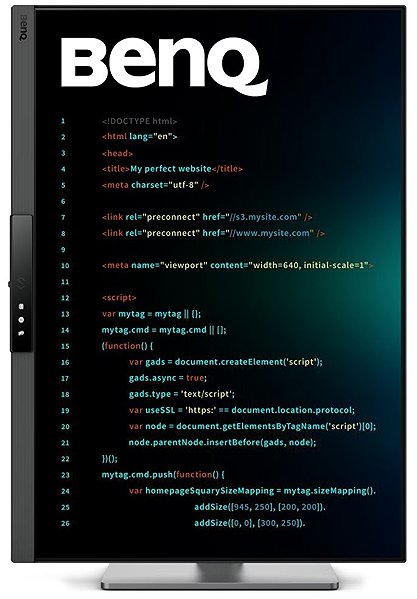
The 28.2" IPS PC monitor has a flat design that makes it easy to use multiple monitors at the same time. It is equipped with a filter that lets less harmful blue light through and a Flicker-free function that reduces the frequency of monitor flickering. This can help reduce eye strain and improve sleep quality. The display adjusts to the ambient light and adjusts the brightness so that it does not shine too brightly at night and everything is clearly displayed during the day. The PiP (Picture in Picture) function displays a small window with a second image (or video) on the main display. This makes it easy to switch between the main image and the smaller embedded window, so you don't have to interrupt the main activity on the screen. Daisy Chain provides the ability to connect multiple monitors to a single signal source, giving you an extended desktop without the need for multiple video outputs. The monitor will impress you with its KVM (Keyboard, Video, Mouse) function, which allows you to use multiple computers at the same time without having to switch cables. This setup is often used by streamers so that the broadcasted content does not lose quality when one computer is busy. You can work on two tasks at the same time without needing to use another monitor. The Picture-by-Picture (PbP) function allows you to compare data and work with different applications on two separate screens. A great feature is the Power Delivery fast charging function via USB-C, which allows you to charge your tablet, wireless headphones, smartwatch, smaller laptop, smartphone or other small electronics with a power of up to 90W. Power Delivery is also safe, as the device only receives as much electrical energy as it actually requires and will not overcharge. You can tilt and adjust the monitor to any height so that its top side corresponds to eye level, thus promoting correct posture, which relieves the cervical spine and has a preventive effect against scoliosis. The tilt option is practical for those who prefer to work while standing. The Pivot function allows you to easily rotate the monitor by 90°, which is appreciated by traders, programmers and data analysts working with a spreadsheet editor.
The BenQ monitor will please you with its equipment
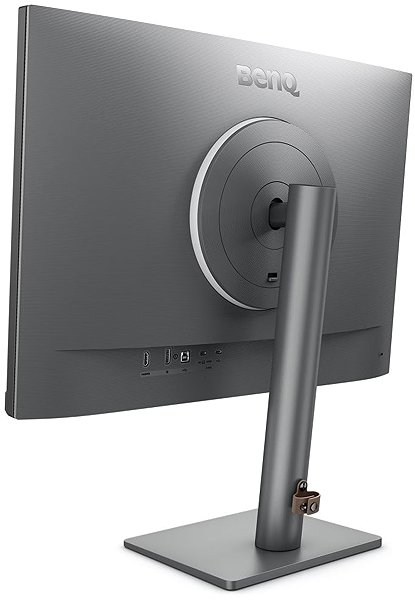
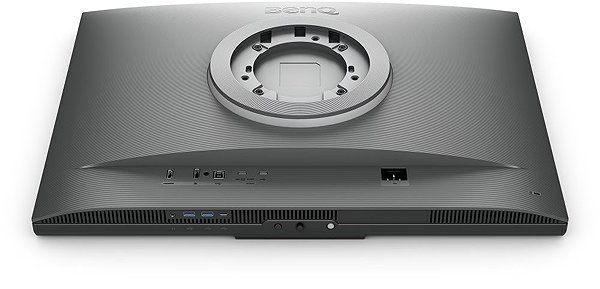
You can connect the monitor to your computer or laptop using HDMI, USB-C and DisplayPort. By connecting your device via the integrated USB-C, you will not only ensure image transfer, but thanks to the Power Delivery function, you can also power your laptop without the need for a classic mains charger. The screen is equipped with a USB-B port that allows you to connect a printer. The integrated speakers offer a convenient solution for sound and vision in one device. In addition to the monitor itself, you will also find an HDMI and a USB-C cable in the package.
Choose a monitor based on native contrast and colour coverage
The BenQ monitor provides a native contrast of 2000:1. A monitor's native contrast ratio reflects the difference between the brightest and darkest displayed point. If a monitor's contrast ratio is 3000:1, it means that the brightest point (white) is 3000× brighter than the darkest point (black). sRGB colour coverage shows how much of the colour from this colour space the monitor can render. sRGB is advantageous because it is a common colour space that you will find on most monitors. The sRGB colour coverage of this monitor is 100%. It therefore covers the natural colour spectrum and the range of colours is therefore standard.
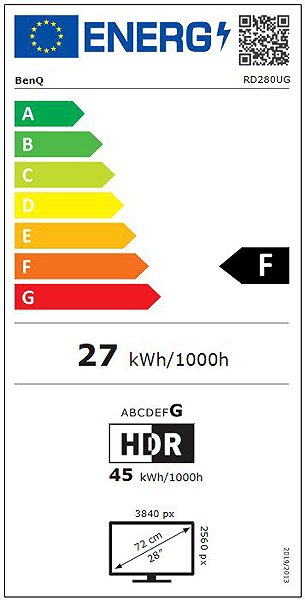
Data stated on the energy label of monitors:
- The manufacturer and model of the monitor are listed in the header
- Scale of energy classes (left), specific energy class of the product (right)
- kWh/1000h: energy consumption in kilowatt-hours per 1000 hours of operation
- SDR kWh/1000h: energy consumption in SDR mode in kilowatt-hours per 1000 hours of operation
- HDR kWh/1000h: energy consumption in HDR mode in kilowatt-hours per 1000 hours of operation
- Pixels: vertical and horizontal display resolution (3840 × 2560 px)
- Units in inches and centimetres: screen screen size
__________________________________________________________________
After scanning the QR code, you will be redirected to the European EPREL database, where you will see the type of display, the technology used in its production (e.g. LCD, QLED) and other monitor specifications.
screen size:
28.2"
Colour coverage (sRGB):
100%
Graphics interface:
HDMI, USB-C and DisplayPort
Graphics interface standards:
DisplayPort 1.4 and HDMI 2.1
Energy class in SDR mode:
F
Consumption in SDR mode:
27 kWh/1000h
Energy class in HDR mode:
G
Consumption in HDR mode:
45 kWh/1000h
Stand-by consumption:
0.5W
Maximum consumption:
250W
Dimensions:
46.52 × 61.04 × 23.33 cm (H×W×D)
Weight:
10.1kg
Specifications
Display diagonal and resolution
Construction
Panel and screen technology
Backlight and colour
Connection
Colour gamut
Features and functions
Colour
Dimensions and weight
Packaging
Power outlet type
Energy specifications

This Taiwanese corporation has offices around the world and is well-known for its consumer electronics. It has further offerings in communication and computing technology, and thanks to several strategic acquisitions, has been able to enter new markets and gain prominence. It is also a major sponsor of e-sports competitions, which has brought it to prominence among younger consumers. Millions of satisfied customers around the globe can attest to BenQ's matchless quality and innovation.
Specifications can be changed without notice. Images are for illustrative purposes only.
