Star Wars Pinball - Nintendo Switch 10.90 € Currently Unavailable
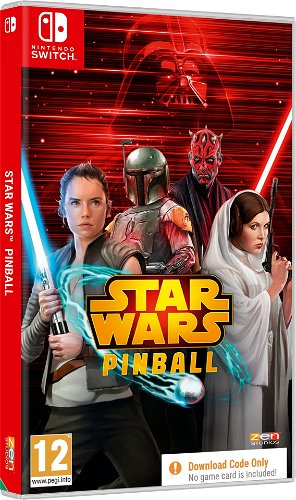
Star Wars Pinball - Nintendo Switch
Brilliant mix
Do you like pinball and Star Wars? Star Wars Pinball Nintendo Switch is a title you shouldn't miss under any circumstances. It combines two of your favourite games into one fun set.
Decide the fate of the universe in Star Wars Pinball Nintendo Switch
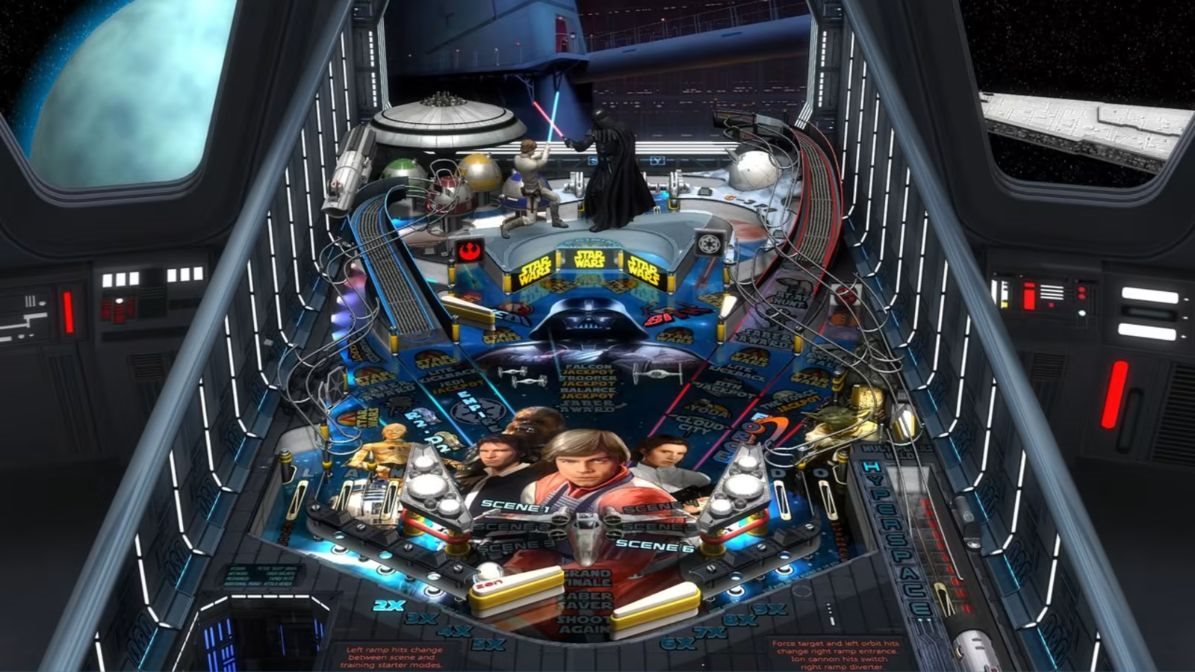
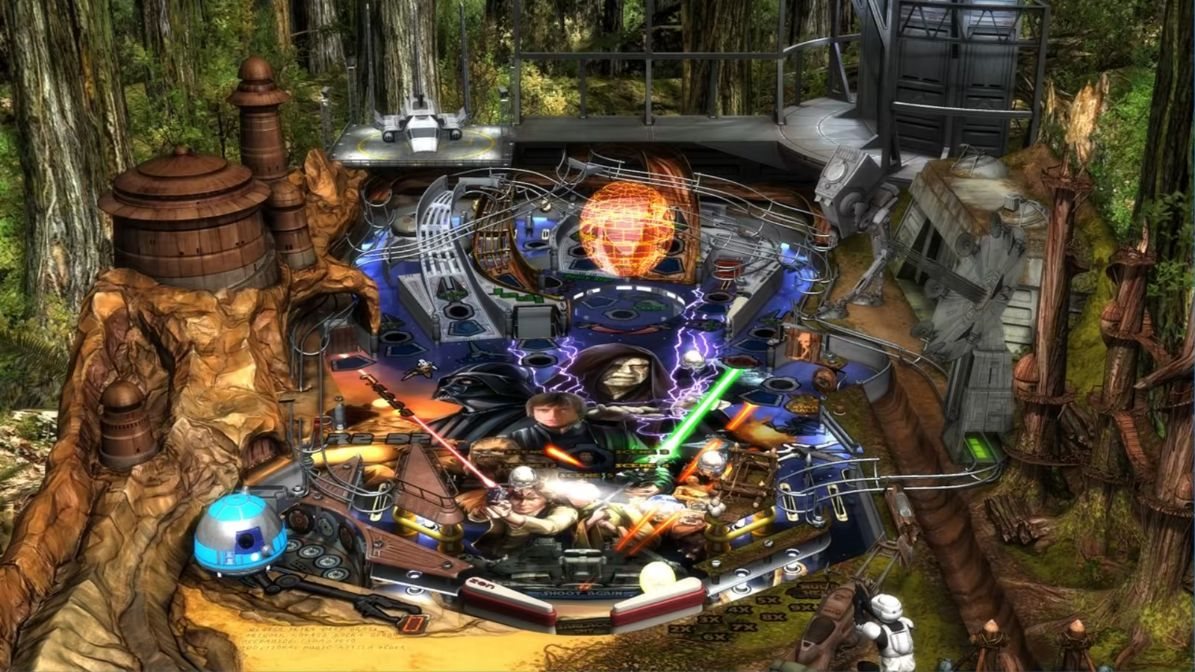
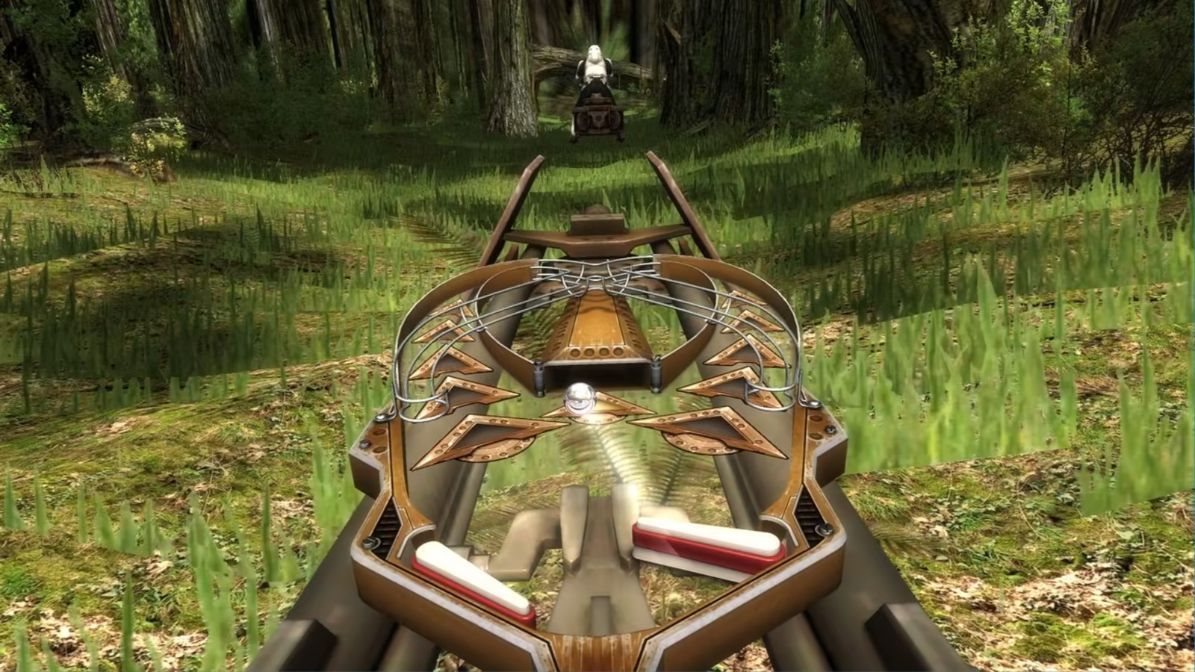
Roll the ball on one of the nineteen themed tables. Choose on each of the boards whether you want to pull with the Sith or the Jedi. Wander through the game's levels and relive iconic moments of this legendary franchise.
Master the Force!
Open special abilities that work with the Force. Slow down time. Increase your score and use your skills to the max in Star Wars Pinball Nintendo Switch. Collect rare trophies and then enjoy them properly.
Specifications
Type
Game
Platform (native)
Nintendo Switch
Platforms (compatible)
Nintendo Switch
Licence
Box
Key for
Nintendo eShop
Version
Type
Game
Platform (native)
Nintendo Switch
Platforms (compatible)
Nintendo Switch
Licence
Box
Key for
Nintendo eShop
Genre
Genre
Arcades
Virtual reality
Virtual reality
Not supported
Localisation
Text
DE, EN
Dubbing
DE, EN
PEGI rating
Age limit
12 years
Release date
Year of release
2022
Month of release
July
Version
Platform
Nintendo Switch - box
Edition
Basic
Age and intended use
Suitable for
1 years
More Specifications
The purchased Nintendo Switch product code must be activated in Nintendo eShop, which can be found in the console menu:
1) Select "Nintendo eShop" on the HOME Menu.
2) Select the account you want to use.
3) Select “Enter Code” on the left side of the screen.
4) Enter the 16-character download code and click "Confirm".
5) The game will begin downloading once the code is confirmed.
The purchased 3DS / 2DS product code must be activated in Nintendo eShop, which can be found in the console menu:
1) Select "Nintendo eShop" on the HOME Menu.
2) Select "Menu" followed by "Redeem Download Code".
3) Click the box labeled "Enter a download code".
4) Enter the purchased code and click "OK".
5) Click "OK" again and select "Download Now" to start downloading.
Note:
Note that some games may require:
a digital store account with a particular service - MS Store, Origin, Steam, Uplay etc. (you can find out more in our article on how to apply your electronic licences)
broadband internet connection for online gaming, initial setup, updates, and more
a monthly subscription fee for online multiplayer gaming (Xbox Live, PlayStation Plus, etc.)
Specifications can be changed without notice. Images are for illustrative purposes only.
Try our cookiesAlza.cz a. s., Company identification number 27082440, use cookies and other data to ensure the proper functioning of the website and, with your consent, also, among other things, to personalize advertising and the content of our websites. By clicking on the “I understand“ button, you agree to the use of cookies and the transfer of data regarding the behavior on the website for displaying targeted advertising on social networks and advertising networks on other websites.
We use 8 categories of cookies on our website:
Technical cookies
These are strictly necessary for the functioning of the website and the features you choose to use. Without them, our website would not work; you wouldn't be able to log in to your user account, for example.
Functionality cookies
These cookies allow us to remember your basic choices and improve the user experience. These include remembering your preferred language or allowing you to stay logged in permanently.
Social media cookies
These cookies allow us to easily link you to your social media profile and, for example, allow you to share products and services with your friends and family.
Content personalisation
These cookies allow us to show you content and ads according to the information we have about you to best meet your needs. This includes what content you have viewed, or on what device you are accessing our website.
Non-personalised advertising
These cookies allow us to show you general ads for products and services.
Personalised advertising
Thanks to these cookies, we and our partners can offer you relevant products and services based on your purchases, your shopping behaviour and your preferences.
Audience metrics
These cookies allow us to optimise our site for your convenience based on how you use it. The aim is to remember or anticipate your choices. This includes, for example, the use of features, their location, or the behaviour on the page.
By giving your consent to the processing of cookies, functionality and analytical cookies will be installed on the device you use to browse the website (click on the "I understand" button for both categories, or you can select only one of the categories by clicking on the "Settings" button). We always install technical cookies on your device, even without your explicit consent, because without them our website would simply not work.
You can revoke your consent to the processing of cookies. In connection with our company's cookie processing, you also have the following rights: the right to access cookies, delete, modify, supplement and correct them, restrict processing and the right to lodge a complaint with the Office for Personal Data Protection. Read more about your rights.