Try our cookies Alza.cz a. s., Company identification number 27082440, uses cookies to ensure the functionality of the website and with your consent also to personalisage the content of our website. By clicking on the “I understand“ button, you agree to the use of cookies and the transfer of data regarding the behavior on the website for displaying targeted advertising on social networks and advertising networks on other websites.
Alzak icon
Catalogue
Price
-
Availability
Common data ports
(12)
(94)
(99)
(211)
(252)
Common graphics ports
(223)
(73)
(207)
(19)
(2)
Material
(161)
(79)

Laptop Docking Stations

Laptop docking stations are devices that allow you to connect peripherals such as a keyboard, mouse, monitor, printer or even speakers to your laptop. A docking station expands your laptop with, for example, additional USB connectors and can recharge your laptop. How do the different types of docking stations differ, and are they better than port replicators?

Continue

Why Should a Laptop Docking Station be Part of Your Office?

You would need a laptop docking station if you primarily work at your desk but occasionally carry your laptop. In that case, you should consider getting a laptop docking station to save you a lot of hassle and expand the capabilities of your connected devices. Below you will find several compelling reasons to consider adding a laptop docking station to your home or work office.

  • Quickly connect your laptop to many devices.
  • A laptop docking station adds ports to devices that don't have them.
  • The docking station adds a range of features to your laptop.
  • The so-called wireless docking station eliminates the tangle of cables on your desk.
  • The docking station keeps your laptop constantly charged.
  • It enables you to quickly connect and disconnect your laptop when you leave the office.

i

Laptops are placed on some docking stations and are then elevated, which helps when working. A laptop docking station gives you an ergonomic advantage when working.

Which Laptop Docking Stations are Available?

You get both universal and specific laptop docking stations. Take a look at their advantages and disadvantages.

Universal Laptop Docking Station

Universal (also called alternative) laptop docking stations are devices that are usually connected to the laptop through a USB connector. The USB connector makes them compatible even with laptops that do not have a special docking connector. What are their advantages and disadvantages?

  • Universal compatibility.
  • Fast connection via USB.
  • Lower price.
  • Universal laptop docking stations are more limited when it comes to functionality.

Specific Laptop Docking Stations

Specific (original) laptop docking stations are designed for a particular type of laptop or a specific manufacturer. The connector for connecting your laptop to a specific laptop docking station can be found on the bottom or back of the professional laptop. So, what are the main advantages and disadvantages of specific laptop docking stations?

  • A wider range of functions.
  • Shape and design compatibility with the laptop.
  • Reliable connection via the docking port.
  • As a rule, these usually have a higher price.
  • Limited to one brand only.

i

We also offer USB-C Laptop Docking Stations or laptop docking stations that connect via Thunderbolt.

Which Connectors are Most Commonly Found on Laptop Docking Stations?

The possibilities of using docking stations are quite vast. A crucial reason to decide which is the best docking station for you is its availability of different ports. Ideally, the docking station should cover everything you need and use for your work. Most often, you will encounter the following connectors:

  • LAN is a connector for wired internet connection. It is suitable where there is no WiFi connection.
  • DVI, HDMI, and VGA are video connectors through which you can connect an external monitor or projector.
  • A power adapter will continuously charge the connected laptop.
  • USB is a universal connector connecting keyboards, computer micememory sticks and portable USB drives. For faster speeds, you will require USB 3.2 Gen 1 (formerly USB 3.1 Gen 1) or 3.2 Gen 2 (formerly USB 3.1 Gen 2), or the modern USB-C.
  • Audio output is used to connect audio devices, e.g. speakers or headphones. Some docking stations also offer input to microphones.

The wireless laptop docking station is the newest iteration of docking stations. It does not connect to the laptop physically but uses a special WiGig (60 GHz Wi-Fi) protocol. However, the range is relatively short, and there should be a direct line of sight between the laptop and the docking station.

Laptop Docking Stations or Port Replicators

A laptop docking station and a port replicator both allow you to connect multiple peripherals to a laptop. However, port replicators do not support some features that laptop docking stations have. For example, port replicators do not have slots for expansion cards or space for a hard drive. Like universal docking stations, they connect to a laptop via a USB connector and are cheaper. Only a laptop docking station can charge your laptop.


Hide description
Was this information useful?
This form is used only for evaluating the information in the description above.
If you have any question about our products, services, transport or any other request, please contact our customer support.
What should be improved? Is anything missing here? Is anything wrong? Share it with us.
275 Results
i-tec Universal 6x 4K/60Hz Display Docking Station, PD 140W
Docking Station - connection using USB-C USB 3.2 Gen 2 (3.1), power delivery 140 W
346.90 €
Buy
Ordered on request
Order Code: JP915a6
73.90 €
Buy
Ordered on request
Order Code: SATE00f2
86.62 €
Buy
Ordered on request
Order Code: PTD035h
Lenovo X9 Charging GaN Dock
Docking Station , power delivery 60 W
68.90 €
Buy
Ordered on request
Order Code: NT432c3k9
5.0
Satechi Aluminium 4K Display Docking Station - Grey
Docking Station , other connectors: 2 piece(s)USB-C , 3 piece(s)HDMI , 3 piece(s)USB-A , 2 piece(s) DisplayPort
Discounted -26 % 222.90 € 301.90 €
Buy
Ordered on request
Order Code: SATE01l2
4.0
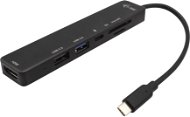
i-tec USB-C Travel Easy Dock 4K HDMI, Power Delivery 60 W
Docking Station - connection using USB-C USB 3.2 Gen 1 (3.0), power delivery 60 W
31.90 €
Buy
Ordered on request
Order Code: JP960d11
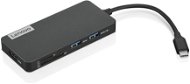
Lenovo USB-C 7-in-1 Hub
Docking Station , other connectors: 1 piece(s) USB-A USB 3.2 Gen 1, 1 piece(s) USB-A USB 2.0, 1 piece(s)SD , 1 piece(s) MicroSD
52.90 €
Buy
In stock 5 pcs
Order by midnight, get it at the AlzaBox in the morning.
Info
Order Code: NT432a4b4
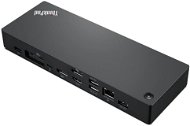
Lenovo ThinkPad Thunderbolt 4 Smart Dock Gen 2 7500
Docking Station , power delivery 100 W
New arrival 388.90 €
Buy
Ordered on request
Order Code: NT438g3f4d1
ASUS ROG XG Mobile GC34R RTX 5070 Ti - Docking Station Free delivery
Alzaboxes and stores
ASUS ROG XG Mobile GC34R RTX 5070 Ti
Docking Station - connection using USB-C Thunderbolt 5, power delivery 140 W
1,639 €
Currently Unavailable
Order Code: NA722m55a
3.4 18×
i-tec USB-C HDMI DP Docking Station + i-tec Universal Charger 112W
Docking Station - connection using USB-C USB 3.2 Gen 2 (3.1), power delivery 100 W
149.90 €
Currently Unavailable
Order Code: JP913a3
4.6 10×
Lenovo Legion Go USB-C Dock
Docking Station , power delivery 65 W
54.90 €
Currently Unavailable
Order Code: NT432c3k8
148.90 €
Currently Unavailable
Order Code: JP909o27
5.0 17×
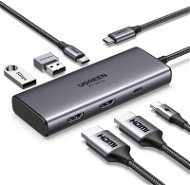
Vention 5-in-1 USB-C to HDMI / 3x USB 3.0 / USB-C / PD Docking Station 0.15M Gray Aluminum Alloy Typ
Docking Station - connection using USB-C USB 3.2 Gen 1 (3.0), power delivery 100 W
21.90 €
Currently Unavailable
Order Code: Venti24006
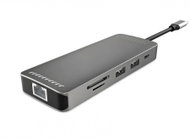
ICY BOX IB-DK4034a-CPD USB-C 6in1 with HDMI and RJ45
Docking Station - connection using USB-C USB 3.2 Gen 1 (3.0), power delivery 100 W
32.90 €
Currently Unavailable
Order Code: FV291k2
267.90 €
Currently Unavailable
Order Code: SATE01n22
4.1
ChoeTech 7-in-1 Multiport HUB
Docking Station - connection using USB-C USB 3.2 Gen 1 (3.0), power delivery 100 W
33.90 €
Currently Unavailable
Order Code: CHOTEo9
4.3
D-Link DUB-V310
Docking Station - connection using USB-C USB 3.2 Gen 1 (3.0)
40.90 €
Currently Unavailable
Order Code: NN2020Mi009
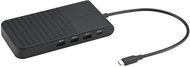
i-tec Universal Intelligent Dual Display Docking Station, PD 100W
Docking Station - connection using USB-C USB 3.2 Gen 2 (3.1), power delivery 100 W
209.90 €
Currently Unavailable
Order Code: JP910n67
5.0
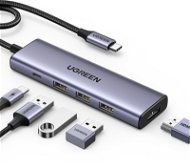
UGREEN 5-in-1 USB-C to HDMI/4*USB 3.0
Docking Station - connection using USB-C USB 3.2 Gen 1 (3.0)
31.90 €
Currently Unavailable
Order Code: UGRE24010
PORT CONNECT USB-C HUB, HDMI 1X 4K + USB-A + USB-C, black
Docking Station , power delivery 60 W
29.90 €
Currently Unavailable
Order Code: PTD035n
ASUS OH102 U3 to RJ45 Dongle
Docking Station - connection using USB-A USB 3.2 Gen 1 (USB 3.0)
19.90 €
Currently Unavailable
Order Code: NA722h21b3
UGREEN 6-in-1 USB-C Docking Station
Docking Station , power delivery 100 W
53.90 €
Currently Unavailable
Order Code: UGRE2602
UGREEN 14-in-1 USB-C Docking Station
Docking Station , power delivery 100 W
197.90 €
Currently Unavailable
Order Code: UGRE2603
26.90 €
Currently Unavailable
Order Code: VENT2603
In the category Laptop Docking Stations on Alza.at, we currently have a total of 275 products, which you can easily buy online and get quickly delivered. See all of your purchases and make orders on our easy-to-use app.
Check out products sorted by price starting with the lowest price in the category cheap laptop Docking Stations Find products sorted from the most expensive to the cheapest in the category most expensive laptop Docking Stations Check out products sorted by price starting with the highest price in the category best sellers, best laptop Docking Stations You’ll find products sorted by reviews starting from the highest ranked in laptop Docking Stations reviews
P-DC1-WEB15

Shoppen ohne Zwang Du kannst bei uns auch ohne Registrierung einkaufen. More info »