



Linksys MR9600

Don't like the alternatives? Choose from the full product list

- Reviews 3
- Help and manuals
- Specifications
- Photos & Videos 2
- Alternatives 3
- Accessories and suggested products

Linksys MR9600
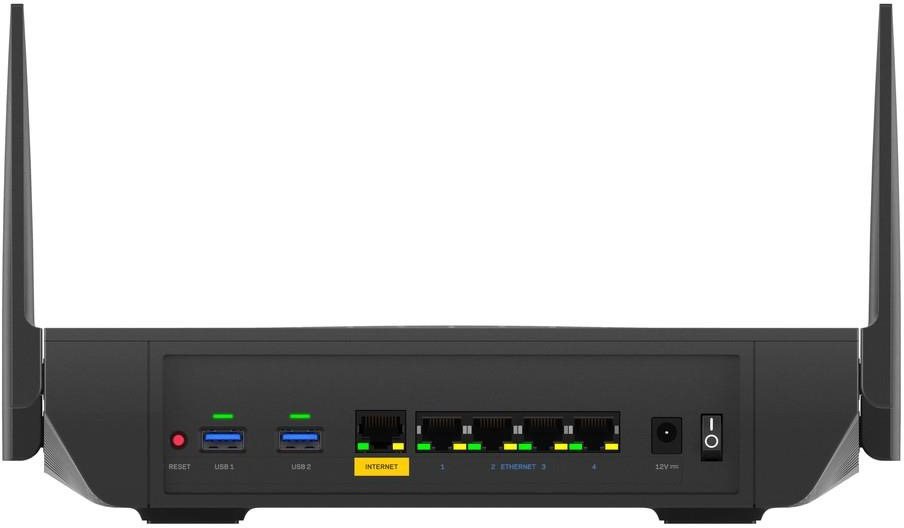
Need to connect multiple devices to the Internet? The Linksys MR9600 delivers uncompromising internet connection quality. It uses 802,11a (5GHz), 802,11b (2,4GHz), 802,11g (2,4GHz), 802,11n, 802,11ac and 802,11ax standards and Dual-band frequency., i.e. it's a dual-band router. For better reception, the device is equipped with 4 external antennas. You can enjoy bandwidth speeds up to 4808 Mb/s or 1 Gbit with LAN connection.
Linksys MR9600 WiFi Router Key Features
- The router's timeless design highlighted by the colour scheme makes it suitable for any interior
- Supports the following standards: 802,11a (5GHz), 802,11b (2,4GHz), 802,11g (2,4GHz), 802,11n, 802,11ac and 802,11ax
- Bandwidth speed up to 4808 Mb/s
- Data encryption
- Simple and easy router setup
- The device is equipped with 2 USB 3.2 Gen 1 (USB 3.0) connectors
- Creates multiple data streams for better performance
- Number of external antennas: 4
Keep Your Data Safe with the Linksys MR9600 WiFi Router
The Linksys MR9600 router makes your web browsing safer and protects your privacy. The device features multiple encryption solutions, such as WPS. This makes the router a good tool for secure web browsing.
Simple Setup and Installation with the Linksys MR9600 Router
The router setup is so easy even a beginner can do it. The router comes with an initial setup guide. Then the only thing left to do is to connect the cables and sometimes enter the information from your internet provider. Another great feature is the WPS button, that lets you easily connect your devices to the router. Just press the button and you don't have to enter the password.
Linksys MR9600: Reliable Wired and Wireless Internet
Aside from wireless internet, the router features a LAN port reaching speeds of up to 1 Gbit. Wired Internet is indispensable for online gamers who need speed and stability, though in exchange for the freedom and user comfort that makes WiFi so popular. You can use USB interface to link the Linksys router to other network peripherals, for example a printer or an external hard drive.
Specifications
Standards and frequency
Functions
Speed
Antenna features
Dimensions and weight
Specifications can be changed without notice. Images are for illustrative purposes only.
